
Creating a Registration Application
Create an application that your users can use to register.
- To access the navigation pane, in the top-left corner of the screen, Click Connections > Applications.
- Click the +Add Application.
-
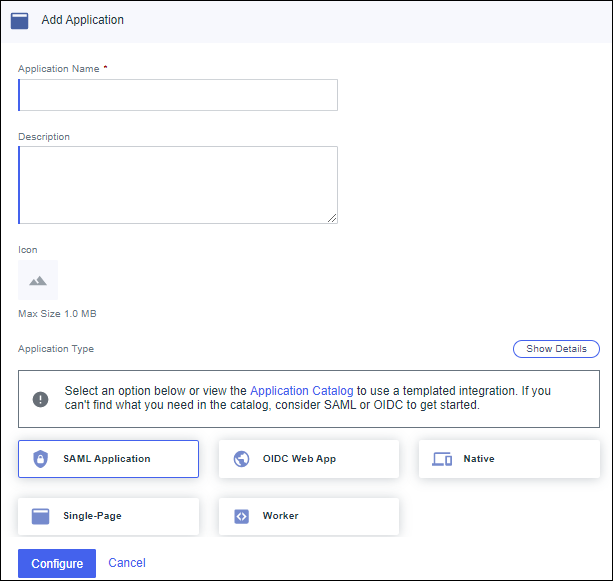
On the Choose Application Type Page, Select SAML
Application.
-
Click Configure.
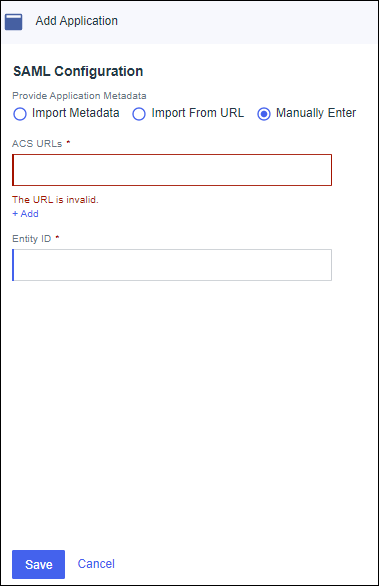
- Select Manually Enter for providing Application Metadata.
- In the ACS URLs field, enter https://httpbin.org/anything.
-
In the Entity ID field, enter httpbin, and then click Save.
PingOne adds the application to the Applications list.
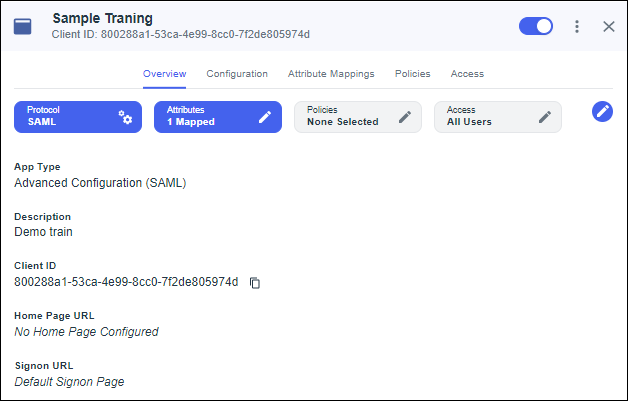
- Click the Configuration tab, and then click the Pencil icon.
- In the Assertion Validity Duration (in seconds) field, enter 3600.
- Click Save.
- Enable the Toggle in the top right corner after configuring the application.
