
Single Sign On (SSO) Configuration
Single Sign-On Configuration involves setting up systems to enable users to access multiple applications with a single set of credentials, simplifying authentication processes and enhancing user experience across different platforms or services.
Accessing the SSO Configuration Settings
| New Menu | Old Menu |
|---|---|
| In the Platform module, from the navigation pane on
the left, under ACCESS MANAGEMENT, select
SSO. The Settings :: Authentication page is displayed with the SSO tab open by default. |
|
| For more information on how to switch between menus, click here. | |
Configuring Single Sign On Settings with AppViewX
To configure single sign on settings with AppViewX:
On the Settings :: Authentication page, under the SSO tab,
turn on the Enable SSO toggle.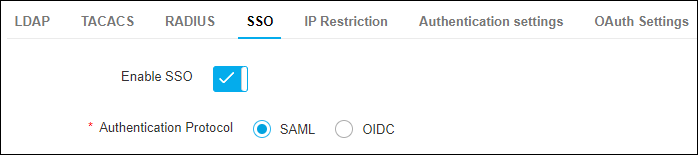
The Authentication protocol field is displayed with the
following options:
- SAML (selected by default)
- OIDC
