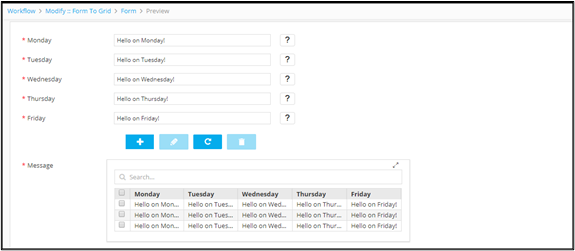
Field Type - Tabular 
-
To add a Tabular field to the form, under
Form builder, click
 (Add) icon in the command bar.
-
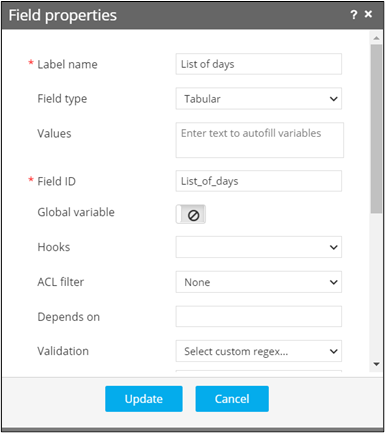
In the Field properties window, define a form
field with field type as Tabular, with the respective
Field ID.
-
Define other form fields that are required for the tabular component.
For example: Label name: Monday, Field type: Text box, Values: Hello on Monday.
-
Link the Parent ID (the field ID of the parent tabular element) against these
fields.
Label name Field type Values Field ID Parent ID Monday Textbox Hello on Monday Monday List_of_days Tuesday Textbox Hello on Tuesday Tuesday List_of_days Wednesday Textbox Hello on Wednesday Wednesday List_of_days List of days Tabular List_of_days -
To see the Tabular field added to the form, click
 (View) icon.