
Defining Dependencies between Form Fields 
- Operators supported: ‘&’ (AND); and ‘|’ (OR)
- Defining dependency based on single field and value: [Field ID: Value]
- Defining dependency based on multiple fields and values: [Field ID1: Value1
& Field ID2: Value1], [Field ID1: Value1 | Field ID2: Value1]
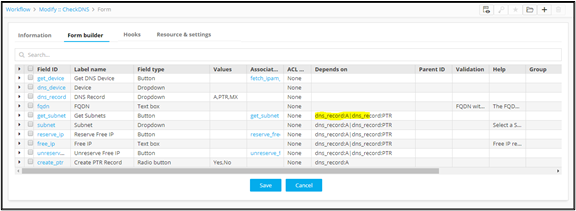
To be able to display the Create PTR Record field based on the type of selection of the DNS Record:
- Design a workflow.
- From the User Interface section, drag and drop a Form task.
-
To add form field(s), in the Form builder section, click
 (Add) icon in the command bar.
- In the Field properties window, define a field called DNS Record with a dropdown that shows two values to select from - A and PTR.
-
Define the parameters for the conditional form field - Create PTR Record based
on which this field must be shown.
dns_record:A|dns_record:PTRThe field Get Subnets will be displayed according to the selection of the DNS record as A or PTR.
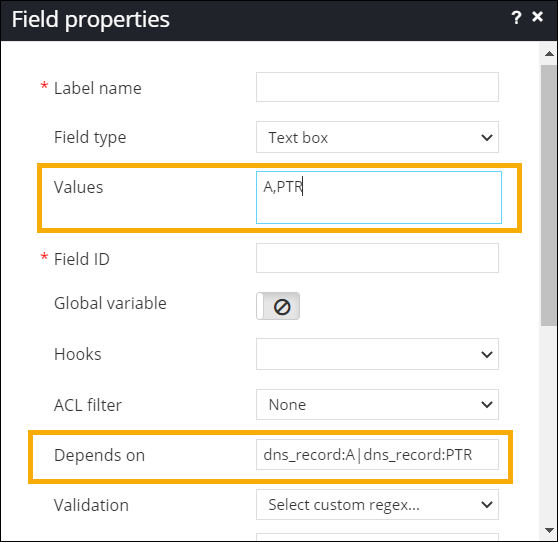
- Add other form fields and define dependencies as required.
-
To see the form fields added to the form, from the top right corner of the
screen, click
 (View) icon.
