
Validating Form Fields 
- Design a workflow.
- From the User Interface section, drag and drop a Form task.
-
To add a form field, in the Form builder
section, click
 (Add) icon in the command bar.
-
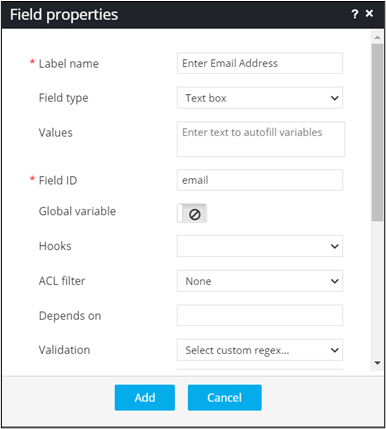
In the Field properties window, enter or select the
field information.
-
In the Validation field, select Email.
Note: For more information, refer to the section on Regex Library.
- To add this form field to the form, click Add.
-
To see the field added to the form, from the top right corner of the screen,
click
 (View) icon.
Only values that match the defined regex are accepted.Note: A
(View) icon.
Only values that match the defined regex are accepted.Note: A is displayed next to the form field if the
entered value does not match the defined regex.
is displayed next to the form field if the
entered value does not match the defined regex.
