
YAML 
This task allows you to input the workflow data in the form of YAML or JSON content.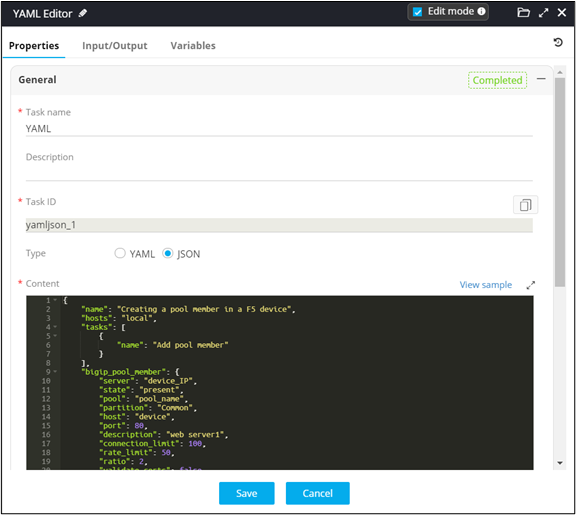
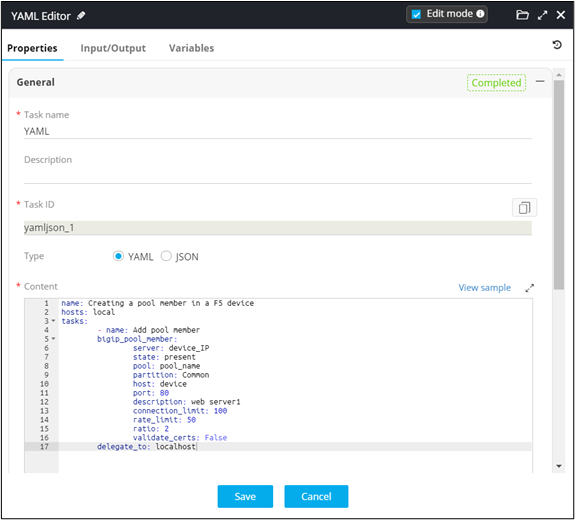
- Provision to input data in either YAML or JSON format
- Provision to refer YAML or JSON samples
- Provision to use the YAML task as either a user interface task or as a service task
- Provision to edit the contents of the task in the request page
- Provision to assign user role (RBAC) access to the task in the request stage
- Provision to skip manual approvals for the task in the workflow request stage
- Provision to retrieve device credentials dynamically.
Using Variables within a YAML Task
Variables from any workflow task can be referred within the YAML task as part
of the automation process. Use the following variable syntax in the YAML task to
refer value from a previous task:
<%variable_name%>Following is an illustration for referring the ‘fqdn’ and ‘FreeIP’ values from an Infoblox task into a YAML task:
--
-
 name: Creating a virtual server in a F5 device
 hosts: local
 tasks:
        - name: Add virtual server
          bigip_virtual_server:
            server: <%device%>
            user: $$<%device%>.username$$
            password: $$<%device%>.password$$
            state: present
            partition: Common
            name: <%fqdn%>
            destination: <%free_ip%>
            port: 480
            snat: Automap
            description: Test Virtual Server
            validate_certs: no
            all_profiles:
              - http
              - tcp
          delegate_to: localhost
