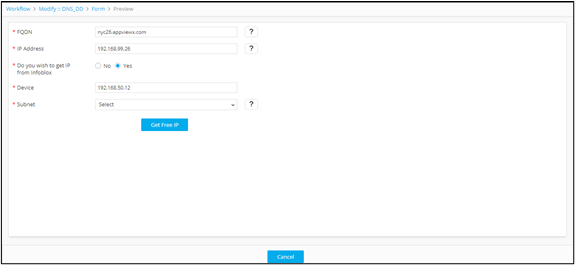
Field Type - Button 
A relevant associate script must be mapped against the button field for it to perform a specific operation or redirect the output to a dependent field.
-
To add a Button to the form, under Form
builder, click
 (Add) icon in the command bar.
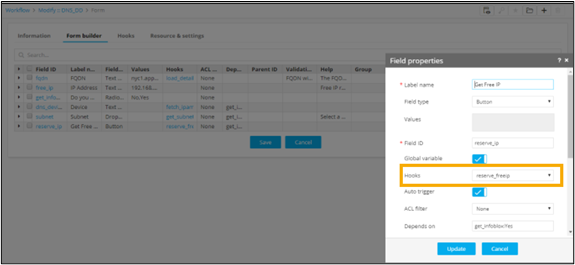
- In the Field properties window, define a form field with field type as Button with the respective Field ID.
-
Map the relevant associate script that needs to be invoked on
clicking the button.
-
To see the button added to the form, from the top right corner of the screen,
click
 (View) icon.