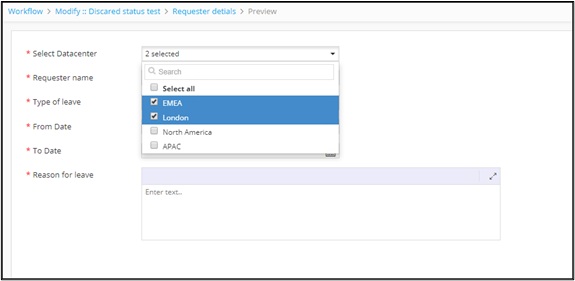
Field Type - Multi select 
-
To add a Multi-select field to the form, under
Form builder, click
 (Add) icon in the command bar.
-
In the Field properties window, enter or
select field information as shown here.
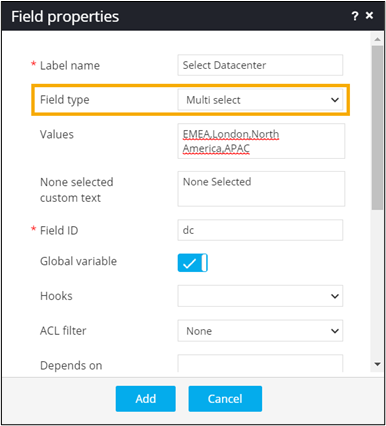
- To add this field to the form, click Add.
-
To see the field added to the form, from the top right corner of the screen,
click
 (View) icon.