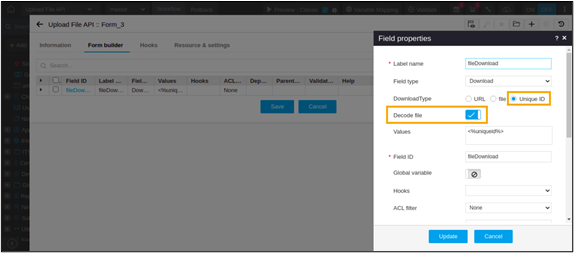
Field Type - Download 
- Provision to mention the unique file ID that is used to retrieve files that are stored within the database as part of visual workflow upload file API.
- Provision to choose the Decode file option to retrieve the saved encoded file data.
-
To add a Download field, under Form
builder, click
 (Add) icon in the command bar.
-
In the Field properties window, add a Download
field.
The Download Type field displays three options:
- URL
- File
- Unique ID.
-
Select the Unique ID option to display the
Decode file field.
Note: The Decode file field is an optional field and is disabled by default.
-
To enable the Decode file option, turn on the
toggle.