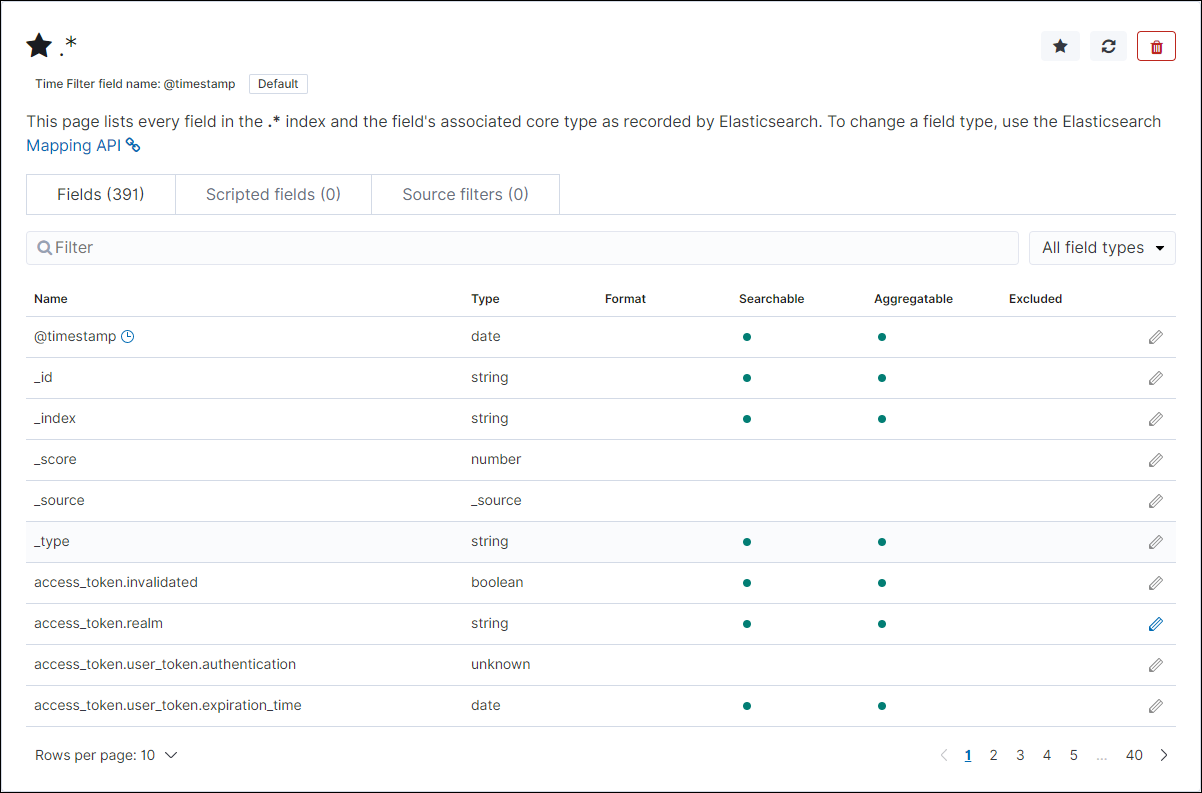
Creating an Index Pattern
- Login to Kibana.
- Under Visualize and Explore Data, click Visualize.
The Create index pattern page is displayed.
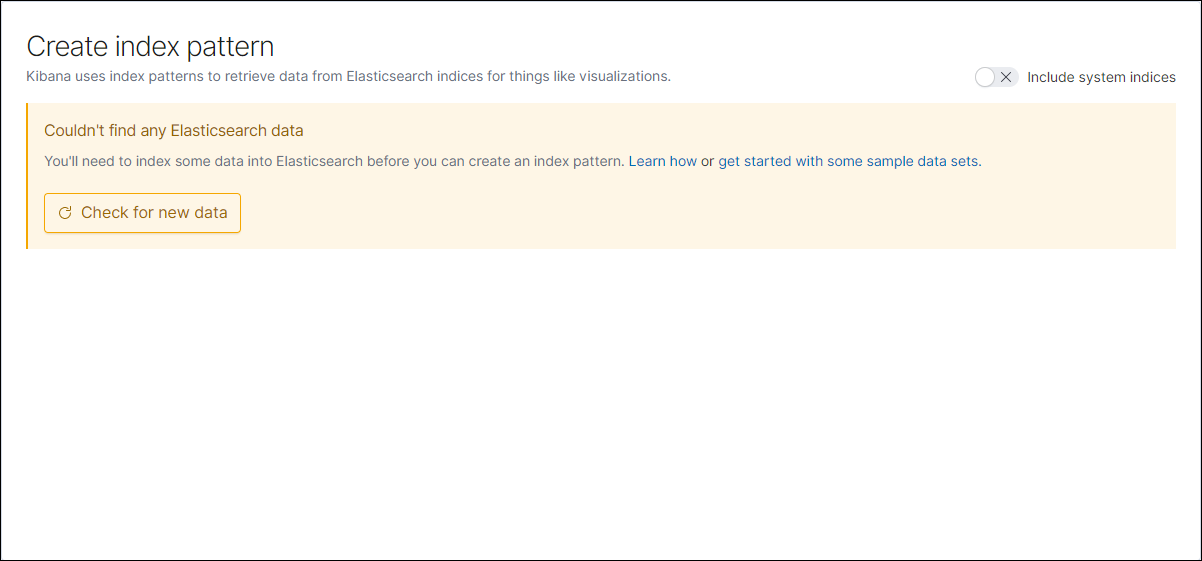
- Enable the Include system indices option.
The Define index pattern page is displayed.
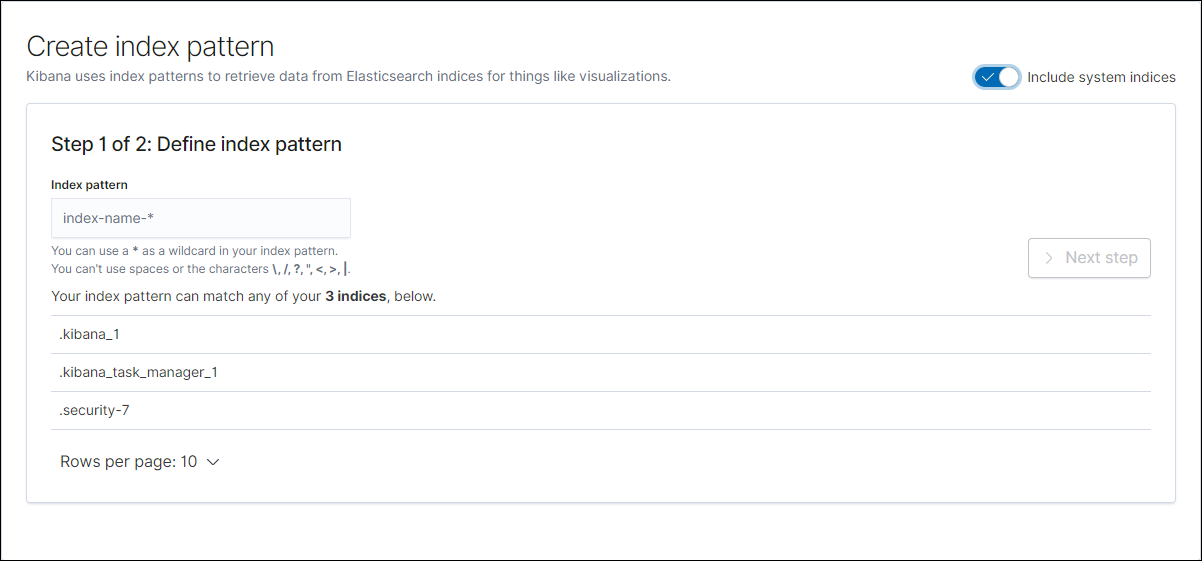
- Under Index pattern, enter .*.
- Click Next step.
The Configure settings page is displayed.
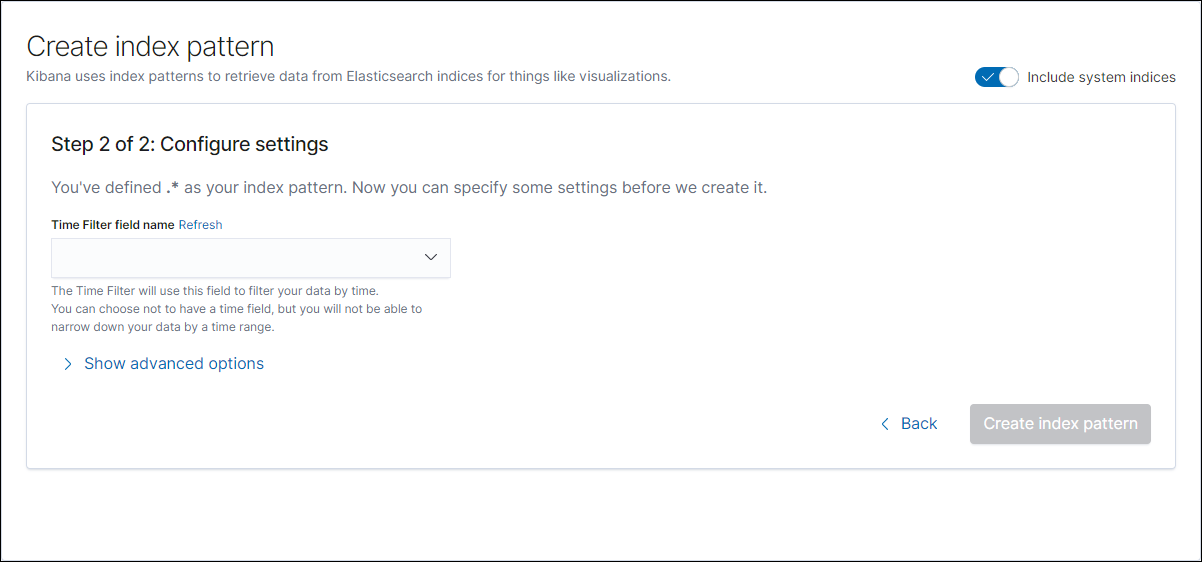
- From the Time Filter field name list, select @timestamp.
- Click Create Index Pattern.
The system creates an index pattern.