
Automatic Log Collection
Prerequisite
- Ensure that the AppViewX application is updated with latest 2022.1.0 FP3 patch or upgraded to 2023.1.0 (FP1-FP3), 2026.1.0.0
- Input (sudo) passwords for message and mongodb logs.
-
Go to the terminal prompt and navigate to the scripts folder by
executing
cd /home/<folder_location>/appviewx_kubernetes/scripts -
To collect all logs, execute the following command,
./appviewx.sh - -collect-logs all-logs
The message “Input validation completed successfully” is displayed. Since the command for all-logs include logs from mongodb and message, you will be prompted to enter the passwords.
-
Enter the respective sudo passwords and hit the Enter key.
The below messages are displayed once the log collection starts. If there are no logs for any system then ‘No logs present for….” Is displayed.
.png)
.png) Note: The passwords during the log collection process will be taken automatically as they were entered at the beginning of the log collection process.
Note: The passwords during the log collection process will be taken automatically as they were entered at the beginning of the log collection process. -
The log collection process continues with the following steps
- Logs files are created for each application (plugins, DBs) and are saved in a folder location as indicated.
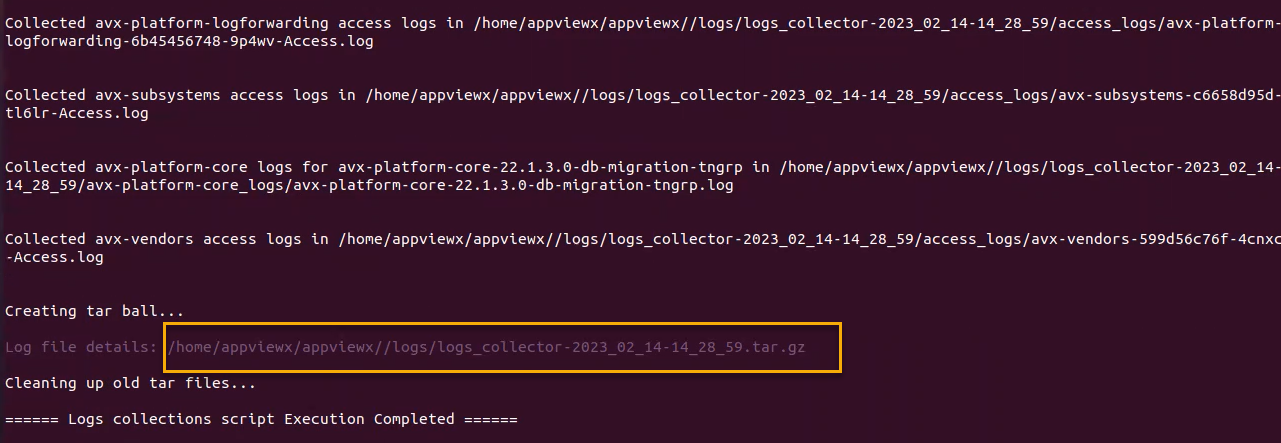
- The final process is creation of the tar ball. The tar ball contains all the logs, its location is displayed in the end.
- Old tar files (up to two days old) are deleted from the folder.
-
Process ends with the message “Log collection script execution
completed.”
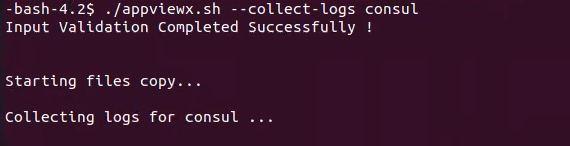
Individual logs can also be collected by executing for each system as mentioned below:./appviewx.sh - -collect-logs all-plugins./appviewx.sh - -collect-logs avx-platform-gateway./appviewx.sh - -collect-logs mongo./appviewx.sh - -collect-logs istio./appviewx.sh - -collect-logs openbao./appviewx.sh - -collect-logs calcio./appviewx.sh - -collect-logs consul./appviewx.sh - -collect-logs kubelet./appviewx.sh - -collect-logs containerd./appviewx.sh - -collect-logs cluster-info./appviewx.sh - -collect-logs messages./appviewx.sh - -collect-logs access/appviewx.sh - -collect-logs <deployment-name> [supported: avx-subsystems,avx-vendors,avx-platform-core,avx-platform-queue,kubelet,containerd,messages]Note: <deployment-name> will recognize only one argument from the supported list - [supported: avx-subsystems,avx-vendors,avx-platform-core,avx-platform-queue,kubelet,containerd,messages]An example of execution for collection of logs for consul is shown below. This execution will process without the password input.
Note: In case you encounter any problems while using this tool,
kindly capture a screenshot of the CLI output and reach out to the support team for
assistance.
