
Enabling Strict Data Center Routing
To enable strict data center routing:
- Log in to the Kubernetes dashboard of AppViewX.
- On the left pane, under Workloads, click Deployments.
- Search for the respective deployment to modify it.
- Click Edit.
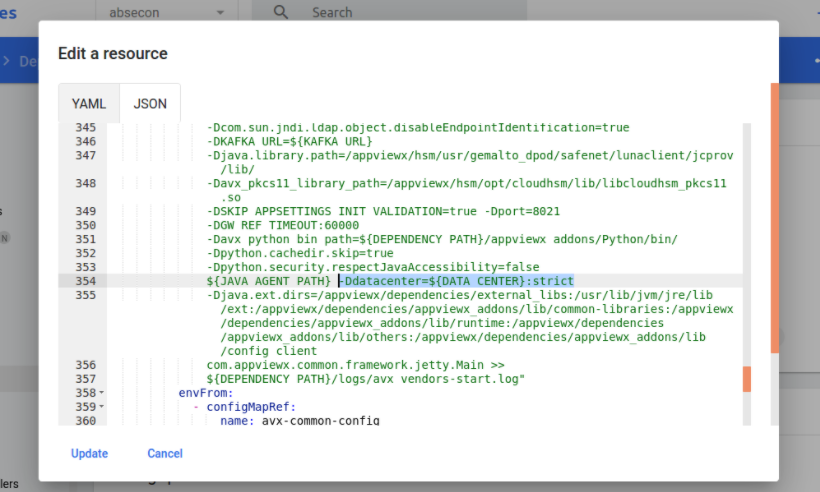
- Add the argument :strict in -Ddatacenter jvm argument as shown below:
- Click Update.
