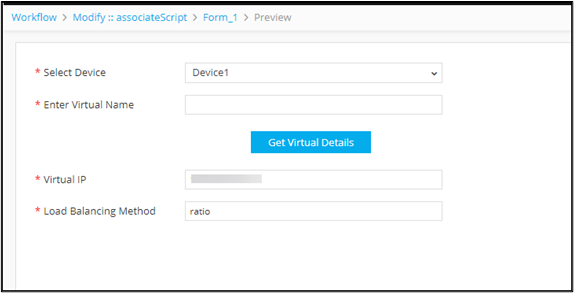
Using Auto-trigger to Invoke the Script Automatically based on Input 
-
Design a form using the following form fields:
Field Name Field ID Type Select device device Dropdown Enter Virtual Name name Text Box Get Virtual Details get_virt Button - Define an associate script and script logic.
-
Map the associate script against the relevant form field ID.
Associate Script logic
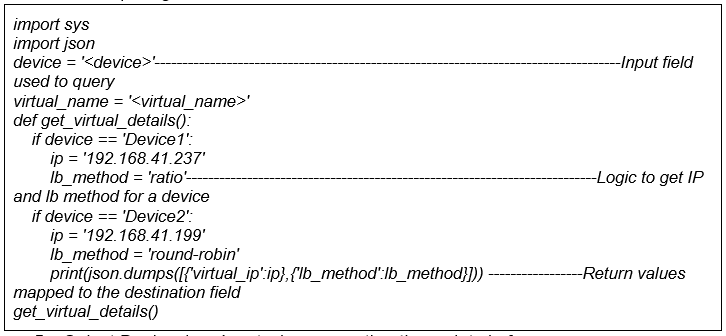
-
Define two more form fields to show the Virtual IP and Load balancing
method.
Field Name Field ID Type Virtual IP virtual_ip Text Box Load Balancing Method lb_method Text Box -
From the menu on the top, click
 (View) icon.
-
In the Select Device field, select the device as Device1.
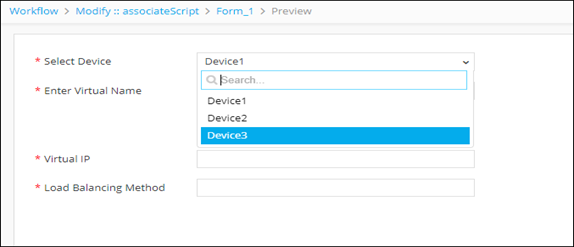
-
Enter the virtual name and click the Get Virtual Details button.
The response from the query is mapped to the destination fields: Virtual IP and Load Balancing Method.