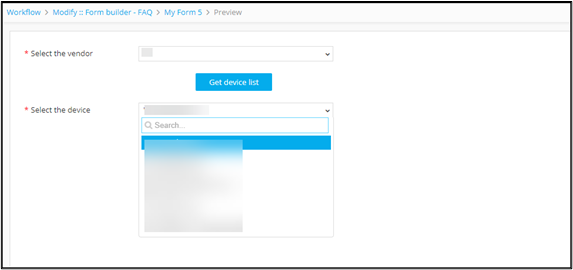
Triggering Script to Get Device List by Vendor 
-
Design a form using the following form fields:
Field Name Field ID Type Select vendor type Dropdown Get device list get Button Select the device device Dropdown -
Define an associate script to get the devices and map the script to
field Get.
Script Description sys.path.insert(0,AVX::HELPER) sys.path.insert(0,AVX::DEPENDENCIES) import appviewx db_connection = appviewx.db_connection() device_collection = db_connection.appviewx.device###Syntax to read any of the other form fields in the associate script -- '<field id>'##
vendor = '<type>' device_list = [{"device":value['name']} for value in device_collection.find ({"vendor":vendor,"category":"ADC"})] print(json.dumps(device_list))- Where
typeis input value from the form based on which the device(s) will be retrieved deviceis the destination Field ID to which the list of devices are mapped back on the form.
- Where
-
From the menu on the top, click
 (View) icon.
The script is triggered to get the device list by vendor.
(View) icon.
The script is triggered to get the device list by vendor.