
Triggering Script to Get Device List 
-
Design a form using the following form fields:
Field Name Field ID Type Get device list get Button Select the device device Dropdown -
Define an associate script to get the devices and map the script to
field Get.
Script Description ### To make use of the helper script ###
sys.path.insert(0,AVX::HELPER)
sys.path.insert(0,AVX::DEPENDENCIES)
### Importing the appviewx helper ###
import appviewx### calling the inbuilt function the helper script to connect with the DB ###
db_connection = appviewx.db_connection()
                                            device_collection =
                                            db_connection.appviewx.device
###Creating a list of dictionaries, where each dictionary will have the key as ‘device’. Where device is the form field id to which we need to populate the values###
device_list = [{"device":value['name']} for value in
                                            device_collection.find({"vendor":"F5","category":"ADC"})]
### Giving an output as part of completion of the script ###
print(json.dumps(device_list))Where device is the Field ID to which the retrieved devices are mapped to on the form -
From the menu on the top, click
 (View) icon.
 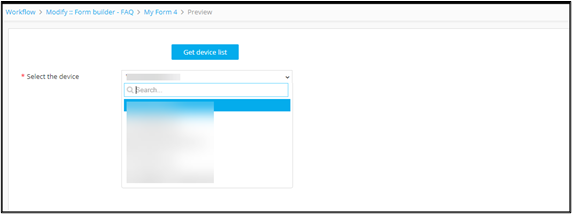 Clicking the Get device list button triggers the script and populates the Select the device field.
