Restarting a Plugin
- Log in into the kubernetes management console.
- From the top list, select the required namespace or datacenter.
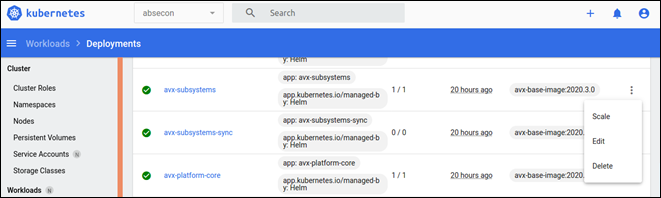
- From the left pane, click Deployments.
- Search for the specific deployment/plugin that needs to be restarted.
- Against the name of the pod, click the three dots and select Delete.
This will stop the current pod and create a new pod.