Changing the Memory for a Plugin
To increase or decrease the plugins memory:
- Log in to the Kubernetes dashboard of AppViewX.
- From the left pane, under Workloads, click Deployments.
- Search for the respective deployment to modify it.
- Click Edit.
-
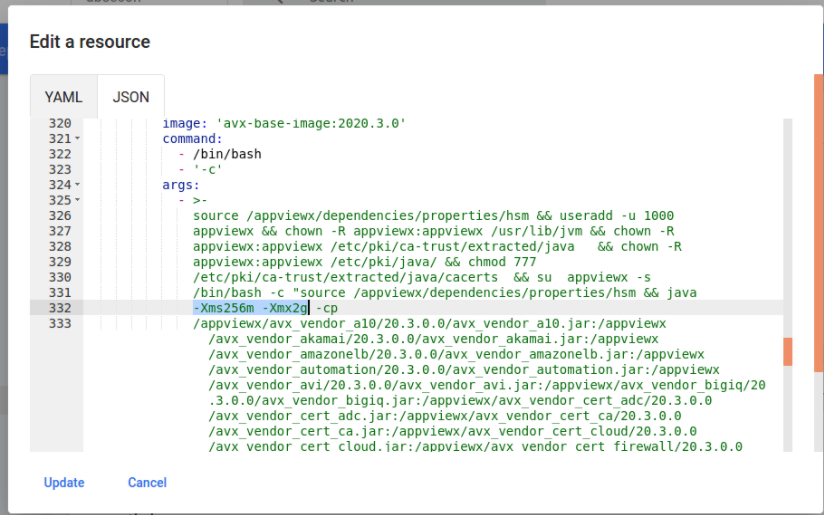
Modify the xmx and xms values to the required values as shown below.