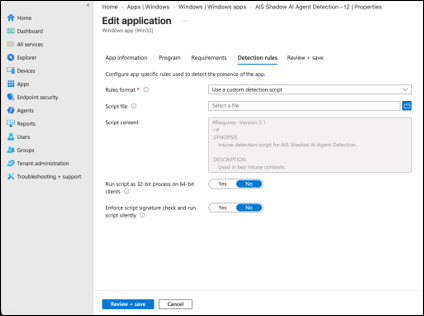
Step 2.4: Configure detection rules
- On the Detection rules page, set Rules format to Use a custom detection script.
- Under Upload detection script, upload ais-shadow-ai-agent-detection-detect.ps1.
-
Set the remaining detection options as follows:
Setting Value Run script as 32-bit process on 64-bit clients No Enforce script signature check and run script silently No (unless your organisational policy requires script signing). Note: The detection script checks for the presence of the installed marker file and registry configuration underHKLM:\SOFTWARE\AppViewX\AIS. Intune uses the script exit code to determine whether the application is installed.