
Step 3: Verify deployment
-
Verify the installation status in Microsoft Intune.
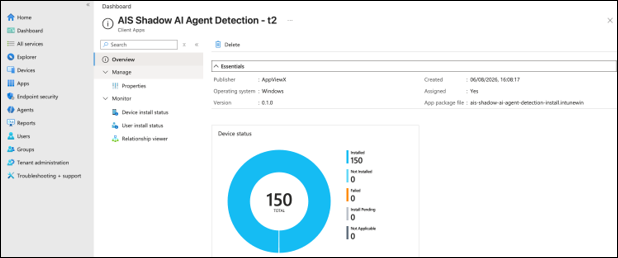
In Microsoft Intune, navigate to Apps and select the application to view the device installation status. Confirm that the test device shows Installed.
-
Verify Shadow AI discovery in the AIS Platform.
In the AIS Platform, navigate to and confirm that the test endpoint hostname appears. This confirms successful enrolment.
-
Verify detection activity in the AIS Platform.
In the AIS Platform, confirm that shadow AI activity detected by the agent is visible within the first scan cycle (typically within 30 seconds of the scheduled task starting). Also confirm that Device install status in Intune shows Installed for the test device.
