
Step 2.3: Configure requirements
On the Requirements page, configure the following:
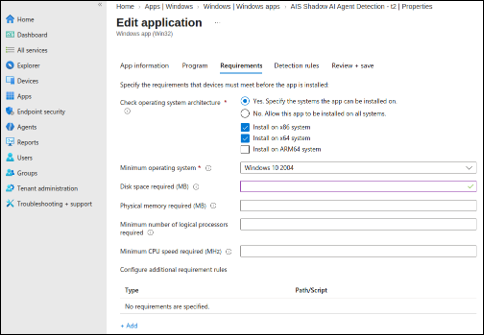
| Setting | Value |
|---|---|
| Operating system architecture | Select Yes Specify the systems the app can be installed on, then select both 32-bit and 64-bit. |
| Minimum operating system | Select the minimum supported Windows version, for example, Windows 10 2004 or later. |
Note: Leave Disk space required, Physical
memory, Minimum logical processors, and
Minimum CPU speed empty unless your deployment has specific
hardware requirements. Do not add additional requirement rules unless specified by your
deployment team.
