
Adding a Server
License Enforcement
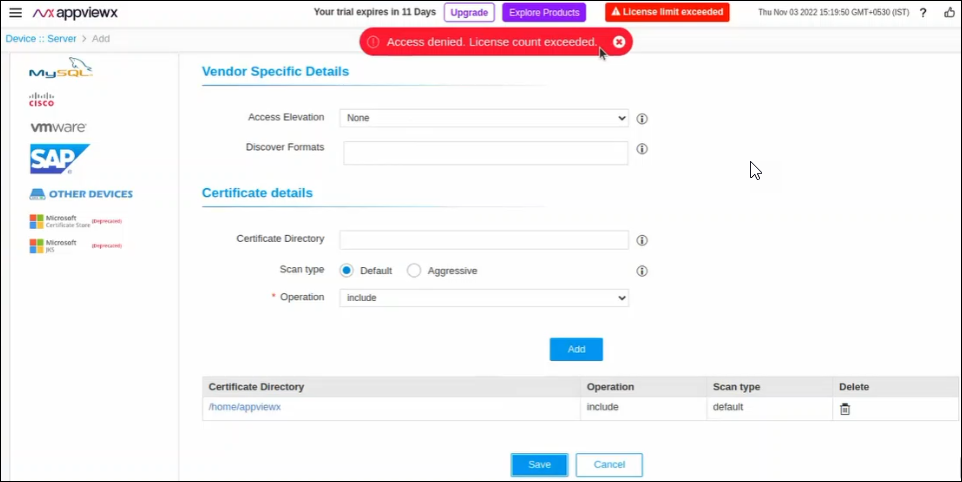
- A red indicator labeled "License Limit Exceed" is displayed on the title bar of the page, if the limit has exceeded.
- A pop-up message "Access denied. License count exceeded." is displayed on the click of the Save button while adding a new server device.
- All the new on-boarded server certs (Server/ADC/Firewall/WAF Device config sync) into the inventory will be mapped to the Monitored state.
