
Onboarding Group
The Onboarding Group Management feature allows administrators to create, edit, delete, and organize groups that classify devices based on rules such as IP range, hostname, vendor, and so on using logical operators AND/OR. Each group includes a unique name, description, rule set, and an optional onboarding policy. Groups are evaluated in sequence, and the first match determines a device’s membership.
The system provides a default onboarding group by default. Any devices that do not match existing group rules are automatically assigned to this group. Administrators can modify its description or associate an onboarding policy as required.
-
Go to
 (Menu) > CERT+ >
ADMINISTRATION > Device Management.
Note: You can also access it through the Platform module.
(Menu) > CERT+ >
ADMINISTRATION > Device Management.
Note: You can also access it through the Platform module.- Go to
(Menu) > Platform > ASSET
MANAGEMENT > Device Inventory.
By default, the ADC tab opens. - Go to
-
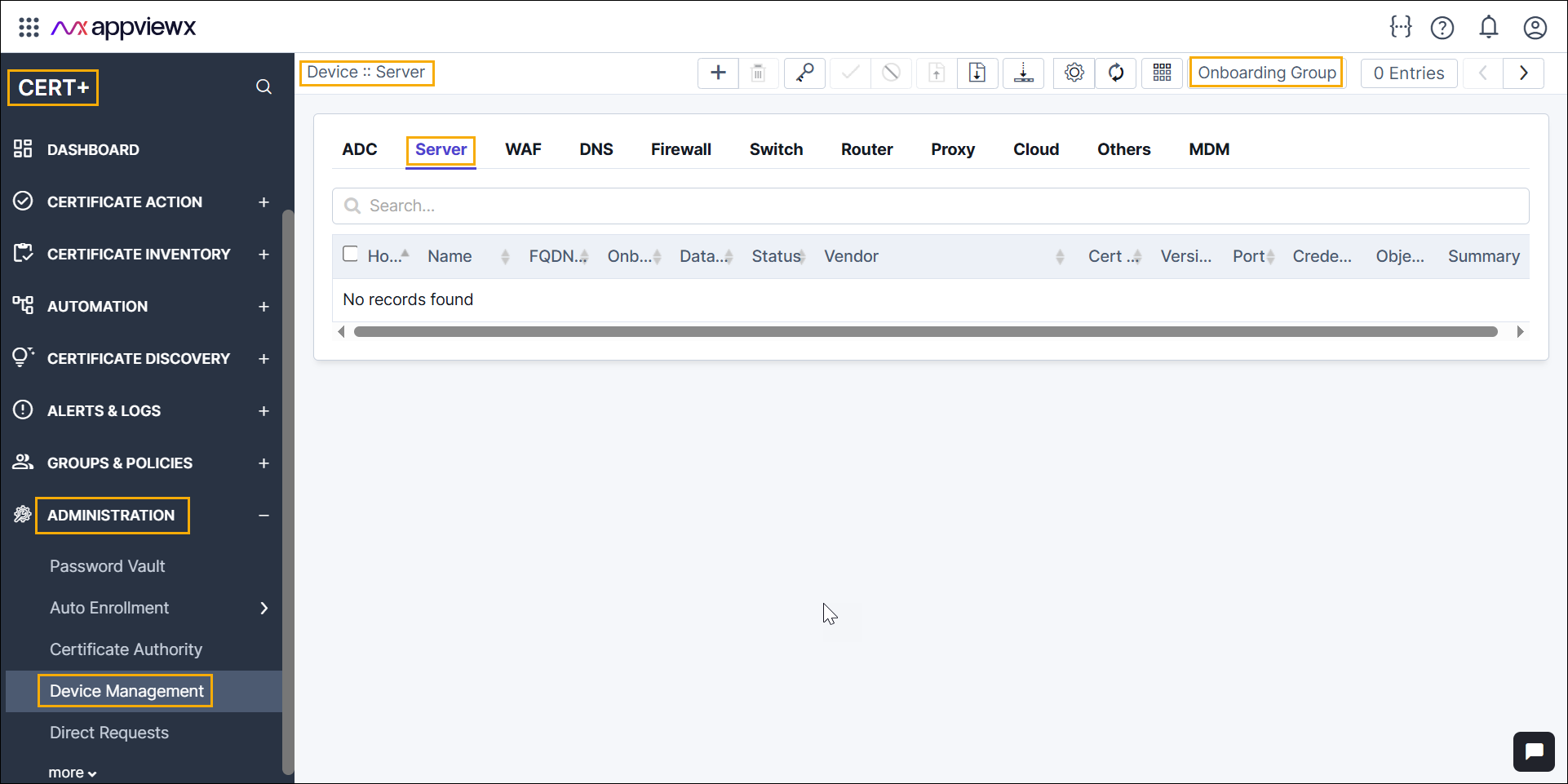
Click the Server tab.
-
Click the Onboarding Group button.
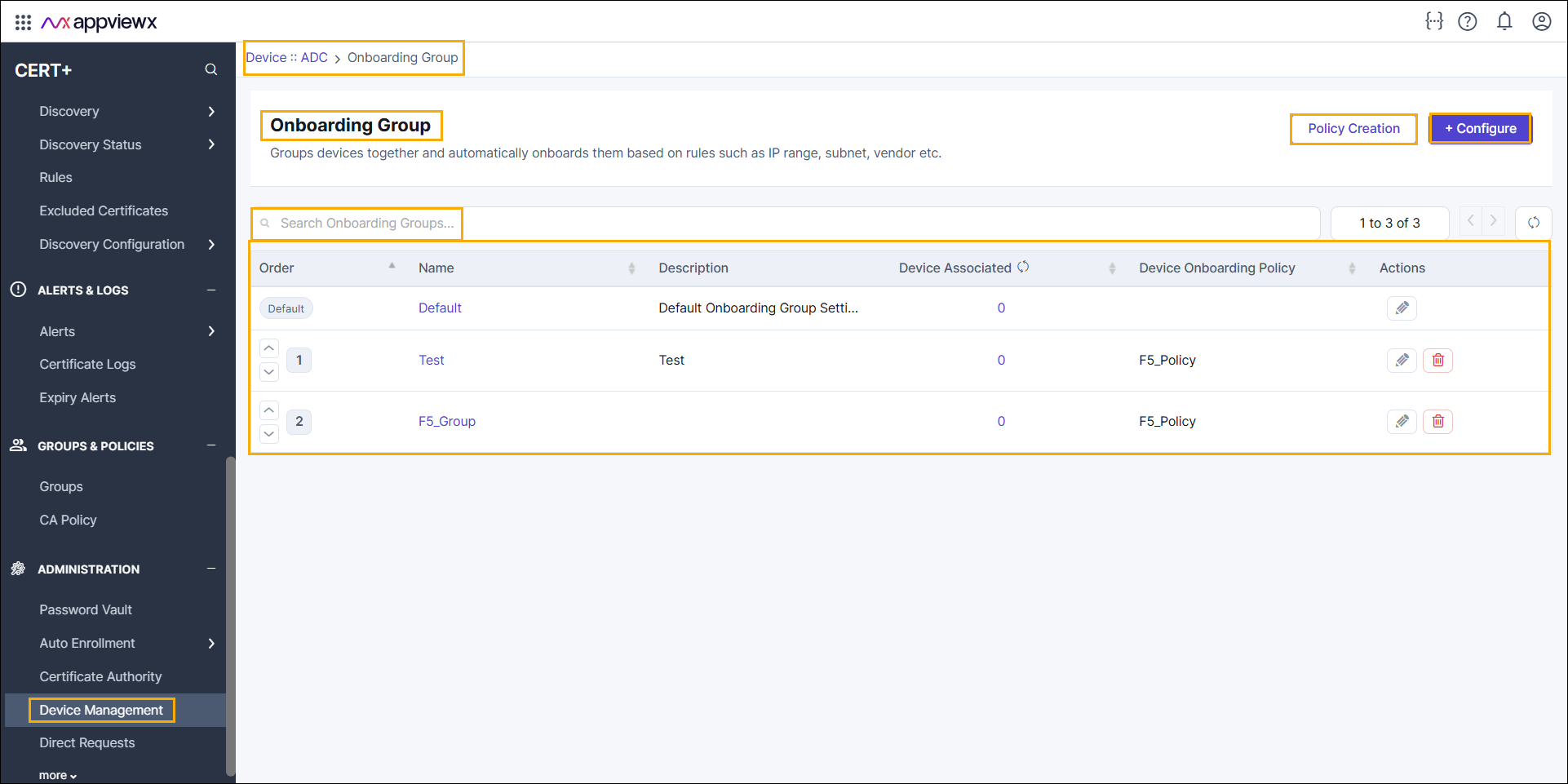
The Onboarding Group window is displayed.
-
In the Onboarding Group section, details as mentioned
below.
Table 1. Onboarding Group Inventory - Field Description Table Fields Description Policy Creation Directs to create a new onboarding policy. + Configure Directs to configure a new onboarding group. Search Bar Allows filtering or searching for specific onboarding group details. Order Defines the sequence in which groups are evaluated. - Default group is marked with a Default label.
- Up/down arrows allow reordering of groups.
Note: Default group will be mapped to the devices that are not associated to any of the created onboarding group.Name Name of the onboarding group (for example, Nginx_Group and F5_Group). Description Brief description of the group. Device Associated Number of devices currently assigned to the group. Note:- The Refresh button allows you to update the device list immediately. By default, the application fetches the associated devices count every 3 hours once.
- Clicking the device count opens the Associated Devices pop-up, where you can search and view the list of associated devices.
Device Onboarding Policy Policy applied to the group (for example, F5_Policy).Actions - Edit (pencil icon) – Modify the group configuration.
- Delete (trash icon) – Remove the group.
*: Mandatory fields
