
Viewing Summary
You can click Summary View from Device Management to get a consolidated,
high-level view of certificates, risks, and device information.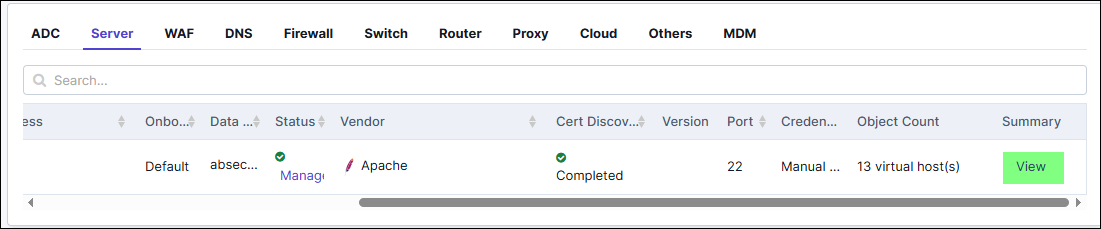
Note:
- If you do not see the Summary column, click
 (Column) icon from the ribbon and select Summary.
 - The Summary column is currently available only for ADC devices and servers.
The Device Summary page lists the following information on top of the page:
- Name
- FQDN/IP Address
- Account Number: Applicable for cloud account
- Vendor
- Last Cert Sync: Displays the last cert sync date-time if device was added with cert sync as Managed/Monitored. If cert sync was disabled, then it displays as Not Configured or ---.
- Cert Sync: Displays as Managed/Monitored/Ignored
The Summary report includes the following widgets with real-time, device-specific data
of: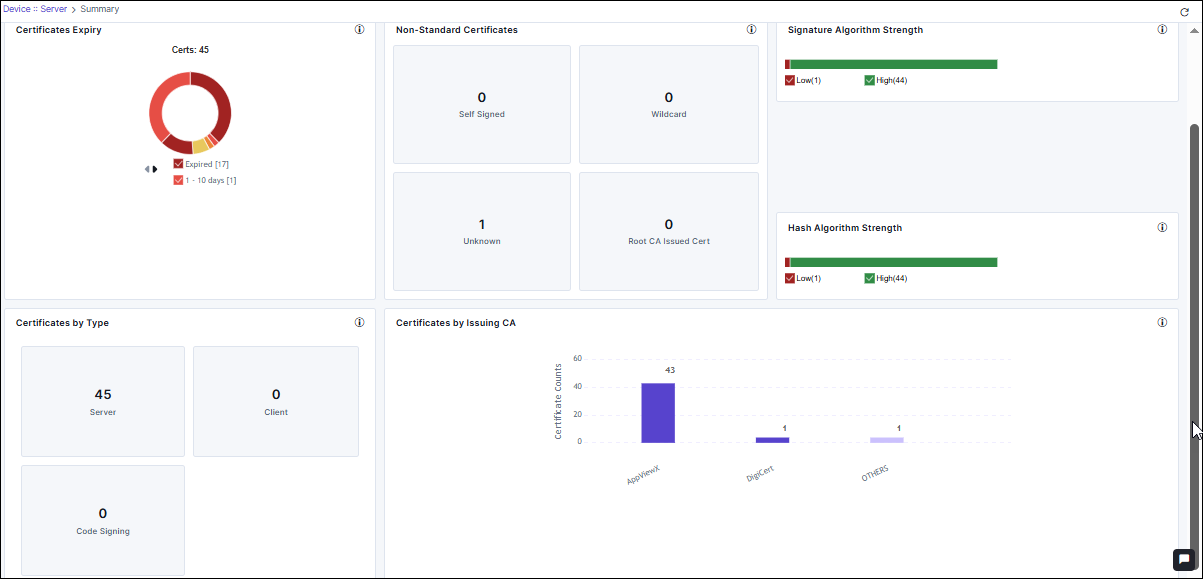
- Certificates Expiry
- Non-Standard Certificates
- Signature Algorithm Strength
- Hash Algorithm Strength
- Certificates by Type
- Certificates by Issuing CA
Certificates Expiry
Displays a donut chart of certificates based on expiry range (Expired, 1–10 days, 11–30
days, 31–90 days, 90-200 days, 200+). You can:
- Select the check box to view the specific portion, excluding unselected items.
- Click the pie chart to redirect to intermediate page.
- Click the View Inventory button to redirect to the Server/Client/Code signing certificate inventory.
Non-Standard Certificates
Displays a report detailing the count of non-standard certificates in the following
categories:
- Self-Signed
- Wildcard
- Unknown
- Root CA Issued Certificates
Signature Algorithm Strength
Displays the count of certificates based on their signature algorithm strength,
categorized as either high or low. A higher signature algorithm strength indicates
stronger cryptographic algorithms, which are more resistant to attacks and tampering,
thus enhancing the overall security posture of the system. You can:
- Select the check box to view the specific portion, excluding unselected items.
- Click the chart to redirect to the respective report.
Hash Algorithm Strength
Displays the count of certificates based on their hash algorithm strength, categorized as
either high or low. A higher signature hash strength indicates stronger cryptographic
algorithms, which are more resistant to attacks and tampering, thus enhancing the
overall security posture of the system. You can:
- Select the check box to view the specific portion, excluding unselected items.
- Click the chart to redirect to the respective report.
Certificates by Type
This report displays the distribution of certificates by the type: Server, Client, Code Signing. Click any tile to view the certificates in the device inventory or export them in .CSV or .XLS format.
Certificates by Issuing CA
This report displays the number of certificates issued by the different certificate authorities. The X-axis represents the names of the vendors and the Y-axis represents the number certificates per vendor.
