
Creating a Policy
To create a new policy:
-
Go to
 .
The Policy Inventory page is displayed.
.
The Policy Inventory page is displayed. -
On the Policy Inventory page, click (+ Create Policy).
The Create Policy popup is displayed.
-
Select Policy Type from the dropdown.
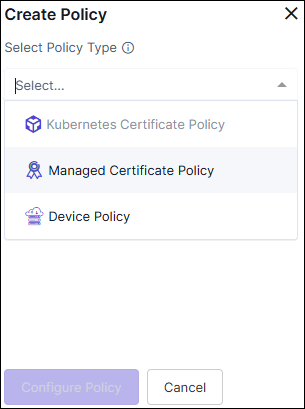 Choose the appropriate type of policy based on your
specific requirements:
Choose the appropriate type of policy based on your
specific requirements:
- Kubernetes Certificate Policy
- Managed Certificate Policy
- Device Policy
