
Policy Requests
 .
.
Notifications
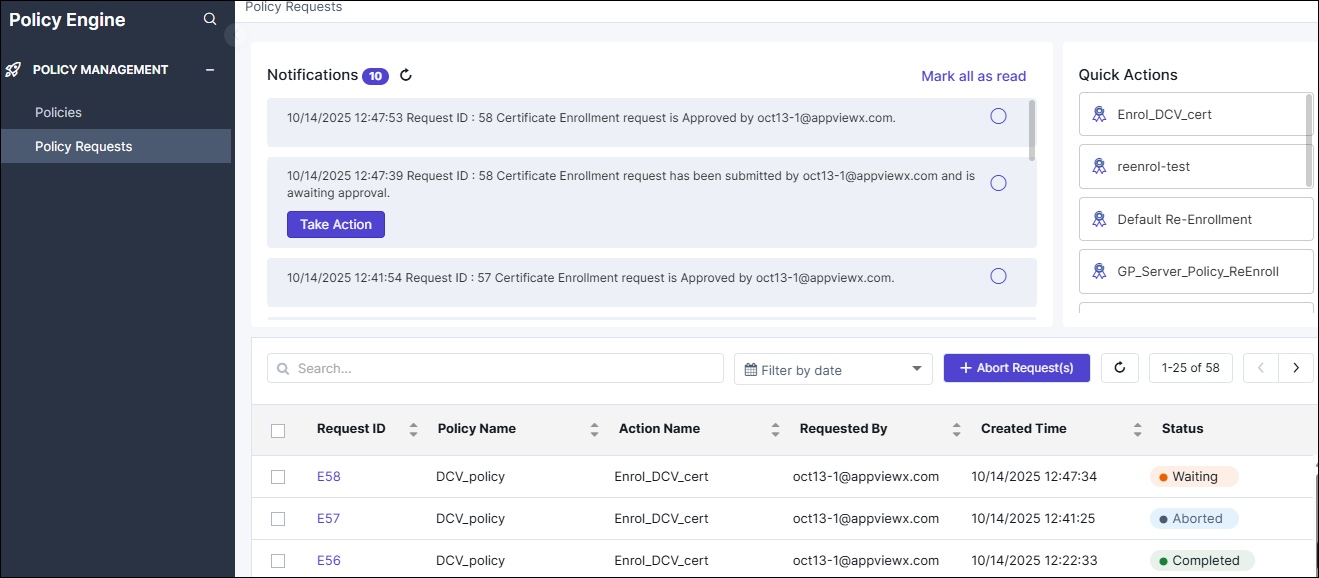
To view these notifications, go to .
The Policy Requests page, with the Notifications section is displayed.
Understanding Notifications for User Roles
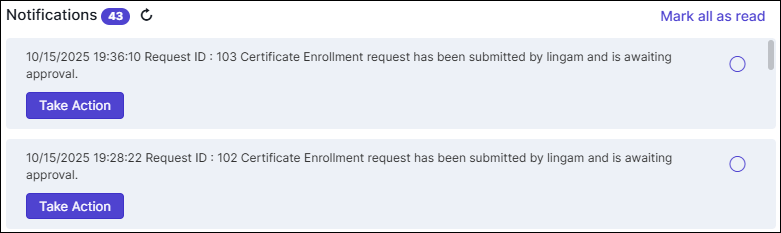
- Approval Access IssueIf the approver does not have access to the policy requested by the user, the policy creator is notified.
 To
grant the requisite permissions for the approver, click Take
Action and update the policy access using the dialog box
displayed.
To
grant the requisite permissions for the approver, click Take
Action and update the policy access using the dialog box
displayed.
Requester
- Approval/Rejection Notification
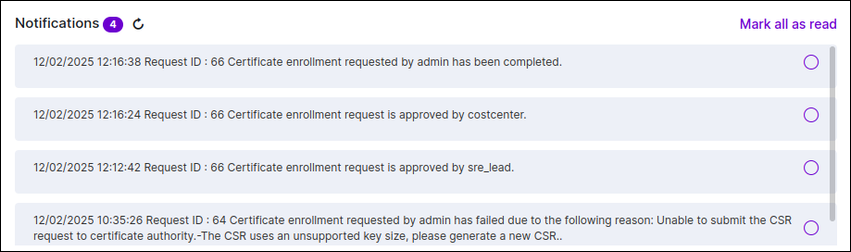
Sent when the approver accepts/rejects the request.
- Failure Notifcation
Sent to the requester if there has been a failure during policy execution.
- Successful notificationSent to the requester when the request has been executed successfully.
Approver
- Pending Approval Notification
The approver will receive a notifcation if a request is pending for approval.
To review the approval request, click Take Action for the corresponding notifcation.
You will be redirected to the request ID's timeline, where you can approve/reject the request.
Managing Notifications
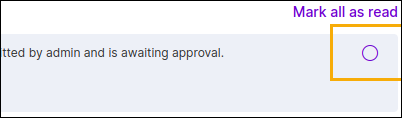
To mark an
individual notification as click  corresponding to the notification.
Marking all notifications as read
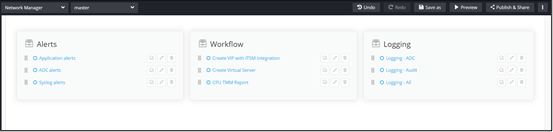
Quick Links
Policy Execution Inventory
Understanding the Policy Execution Inventory
- Request ID: A unique identifier assigned to each policy execution for tracking purposes. Click the request ID to view the request timeline. To understand the request timeline details, click here.
- Policy Name: Name of the policy associated with the execution.
- Action Name: Name of the action associated with the policy, which is used to initiate the execution.
- Created Time: Timestamp of policy execution initiation.
- Status: Current status of the policy execution.The policy execution Status is indicated using the following values:
Status Description In Progress Policy execution is in progress. Waiting Policy execution is pending approval or is waiting for certificate issuance. Rejected Policy execution request has been rejected by the approver. Failed Policy execution has encountered a system error or a failure scenario. Aborted Policy execution request has been aborted. Completed Policy execution has been successfully completed.
Searching for Execution Requests in the Inventory
- Use the Search field to search for execution requests by policy name, action name, and request ID.
- Use the Filter by date field to filter requests for a required timeline.
Aborting Policy Execution Requests
- Select the checkbox corresponding to the execution request(s) you want to abort.
- From the execution inventory, click Abort Request(s).
Understanding the Request Timeline
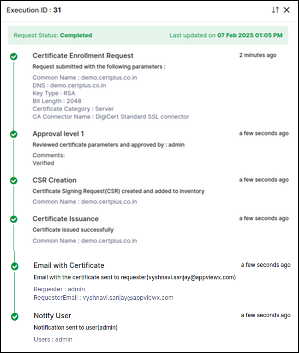
Execution Stages
- Certificate Enrollment Request
This stage displays all certificate parameters submitted by the user. It provides a summary of the request, including details such as certificate type, validity period, and associated metadata. This serves as the initial checkpoint before moving to the approval process.
- Certificate Request Creation
The request proceeds to the Certificate Request Creation stage. This stage displays details such as the Common Name (CN) for which the certificate is being requested. An entry will be made in the Certificate inventory before approvals.
- Enroll Certificate
After CSR creation, the process moves to the certificate issuance stage. In this step, the certificate is generated and issued based on the provided details. Once issued, the certificate is ready for further actions.
- Email Notification
Email Notification completed successfully.
Post Action Stages
- Email with certificate
This stage is triggered if the Email certificates in zip format post-action is configured. The system sends an email containing the issued certificate to the requester.
- Notify users
If the Notify users via email post-action is configured, this stage sends an email notification to the selected user(s), informing that the certificate has been successfully issued.
- Notify user groups
If the Notify user groups via email post-action is configured, this stage sends an email notification to the selected user group(s), ensuring that relevant users are informed about the certificate issuance.
Actions
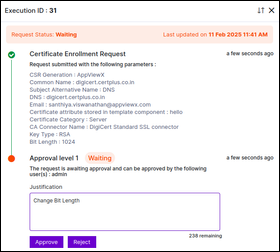
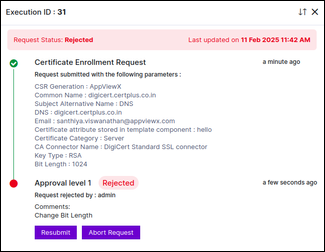
- Approve and rejectApprovers with policy access can either approve or reject a request. If the Allow Comments option is enabled in the policy, approvers can provide comments explaining their decision. If the request contains incorrect details or does not meet the required criteria, the approver can reject it. However, if all parameters are valid, the request can be approved for further processing.
- ResubmitIf a request is rejected, the requester can resubmit it after making necessary modifications, provided that Allow Resubmission is enabled in the policy. This ensures that rejected requests can be corrected and reconsidered without requiring a completely new submission.
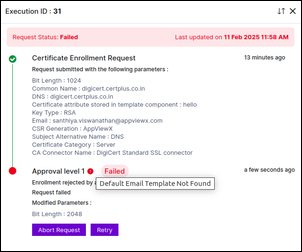
- RetryIf a policy request fails due to system errors or other issues, the Retry action allows the request to be executed again. This ensures that temporary failures do not require a full resubmission and can be resolved efficiently. When a stage fails, an exclamation mark (!) indicator appears beside the failed stage.
- Abort
If a policy request is no longer required, it can be aborted to prevent further processing. However, once the request reaches the implementation stage (For example: certificate issuance), the abort action is no longer allowed. This restriction ensures that partially executed processes are not left in an inconsistent state.
Transitions in Execution Stages
- In Progress
Represents an active process that is being executed.
Can transition to:- Waiting (if the request is awaiting approval or further execution steps)
- Failed (if an error occurs)
- Completed (if successfully processed)
- Waiting
Represents a paused process, either waiting for approval or for certificate issuance.
Can transition to:- In Progress (if the request has been approved or the certificate has been issued)
- Rejected (if approval is denied)
- Aborted (only if awaiting approval, not during certificate issuance)
- Rejected
Represents a rejected request.
Can transition to:- In Progress (if resubmitted)
- Aborted
- Failed
Represents a process that encountered an error.
Can transition to:- In Progress (if retried)
- Aborted
- Aborted
Represents a process that is manually stopped.
This is a terminal state.
- Completed
Represents a process that has successfully completed execution.
This is a terminal state.
