
Creating a Cluster Policy Using Policy Engine
Prerequisites:
- Ensure CA integration is completed.
- Ensure you configured organization PKI standards as CA Policy.
- Ensure the Group is created.
To create a cluster policy:
-
Go to
 .
On the Cluster Policy page, the existing policies (if any) are listed.
.
On the Cluster Policy page, the existing policies (if any) are listed. -
Click +Create Policy in the command bar.
The Cluster Policy popup opens.
- Under the Policy Engine section, click +Create Policy.
- In the Welcome to Policy Engine popup, click Get Started.
-
In the Create Policy window:
-
Click Configure Policy.
The Create a Kube Cluster Policy in 3 Simple Steps popup displayed:
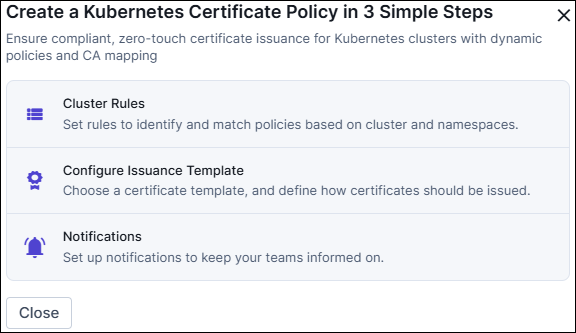
- You may close it.
- To avoid seeing it again, check Don’t Show Again, then click Close.
-
Configuring the Policy as follows:
- Click Next.
-
In the Issuance Template page:
- Select a certificate template from the right panel.
- In the Import Issuance Template popup, click Confirm.
- (Optional) Click + Add CA to add more CAs, and fill in the required fields.
- Click Next.
-
(Optional) Configure Notifications as follows:
- Click Finish.
-
In the Submit Policy confirmation popup, click
Confirm.
The cluster policy is added to the Cluster Policy inventory.
