
Configuring Certificate Attributes
- From the main menu, go to the CERT+ module.
- On the CERT+ page, from the menu on the left, scroll down to the Administration section and click Certificate Attributes.
- On the Certificate Attributes page, click Add New.
-
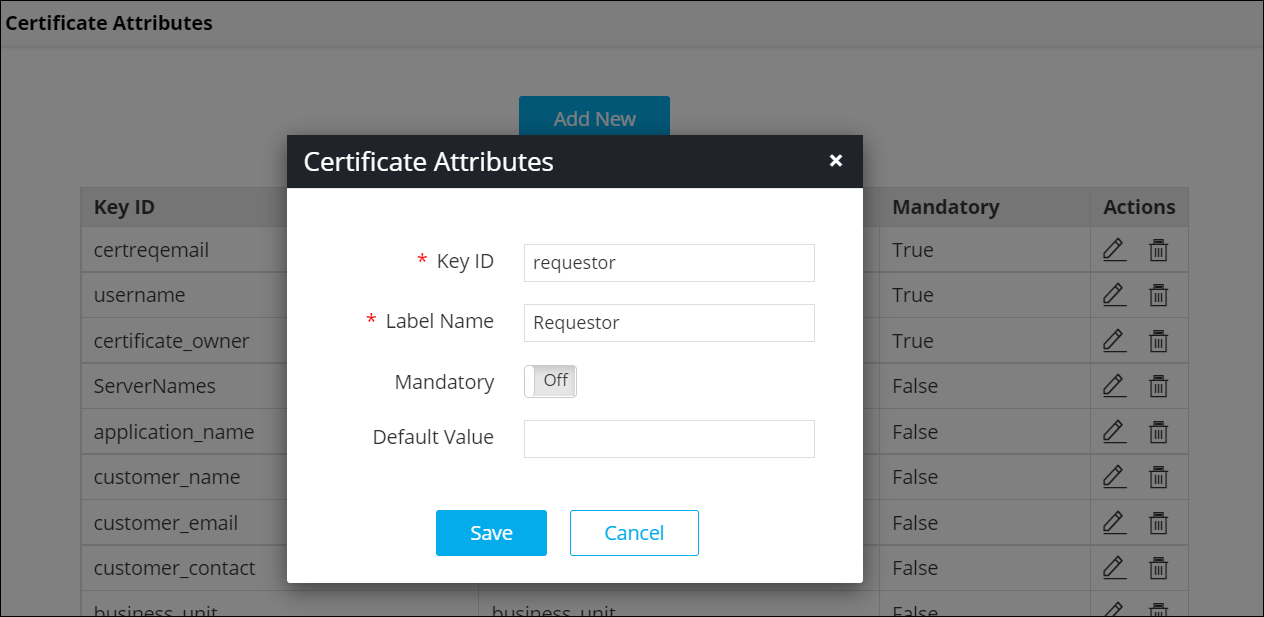
In the Certificate Attributes pop-up window that is displayed, add any
of the following the key IDs and label names as:
- Key ID: requestor and Label Name: Requestor
- Key ID: requestor_assignment_group and Label Name: Requestor Assignment Group
- Key ID: ritm_number and Label Name: RITM Number
-
Click Save.
The requestor email address will be added as a certificate attribute and can be used to fetch certificates when renewing or revoking certificates from ServiceNow.
