
Adding AppViewX Catalog to the Service Portal
- On the ServiceNow instance, in the filter navigator, type Portal.
- From results displayed in the navigation pane on the left, select Portals.
- On the Service Portal page, under the Title column, click Service Portal.
- On the Service Portal page, scroll down and click the Catalogs tab.
-
Under the Catalogs tab, right click on Portal=Service Portal and
from the options displayed, click Open new window.
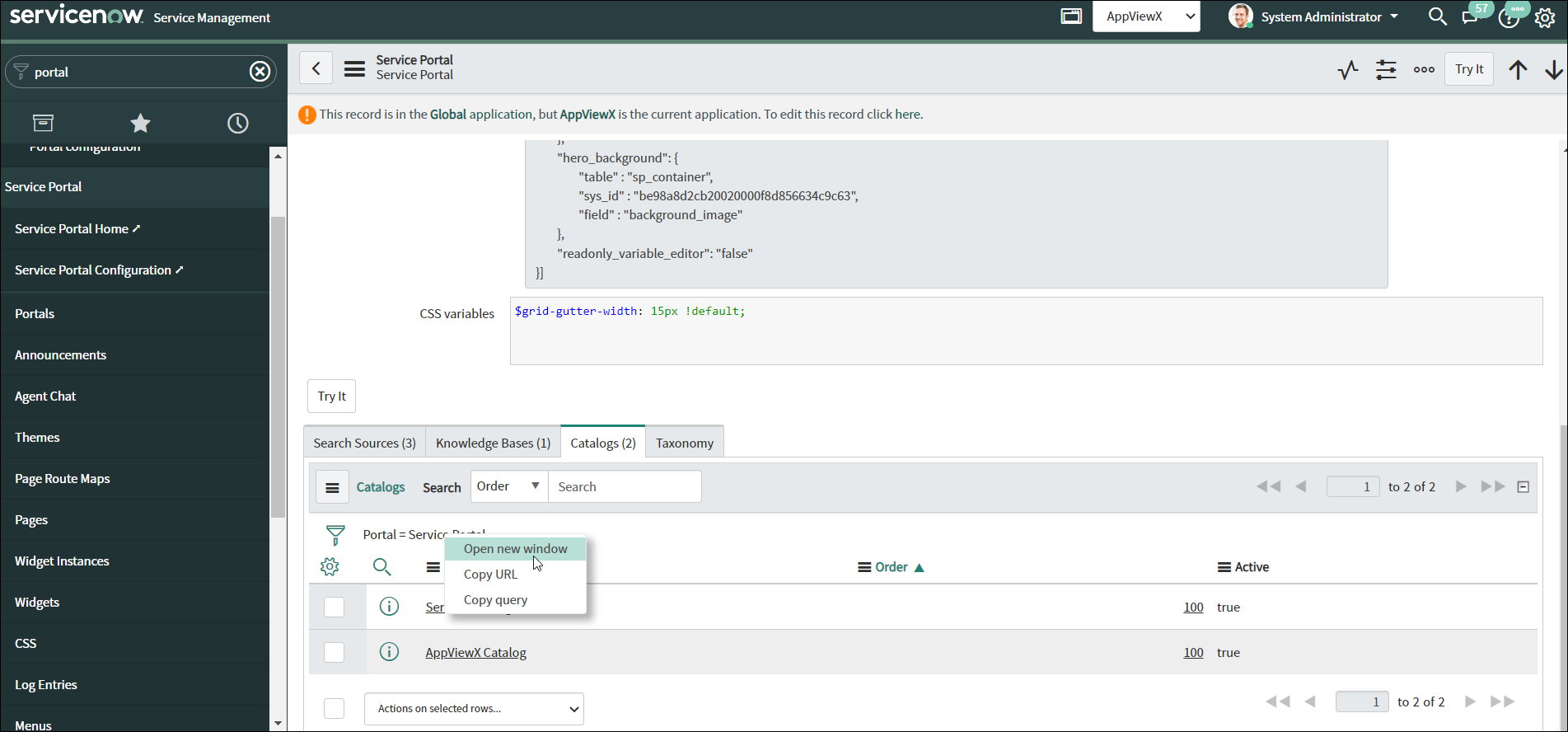 The Portal Catalogs page opens in a new tab.
 - On the Portal Catalogs page, from the menu on the top, click New.
-
On the New Record page that is displayed, click
 next to the Catalog field.
- In the pop-up window that is displayed, select AppViewX Catalog.
-
Click Submit.
The AppViewX Catalog will be available on the Service Portal page.
