
Defining RBAC for Workflows in the Service Portal
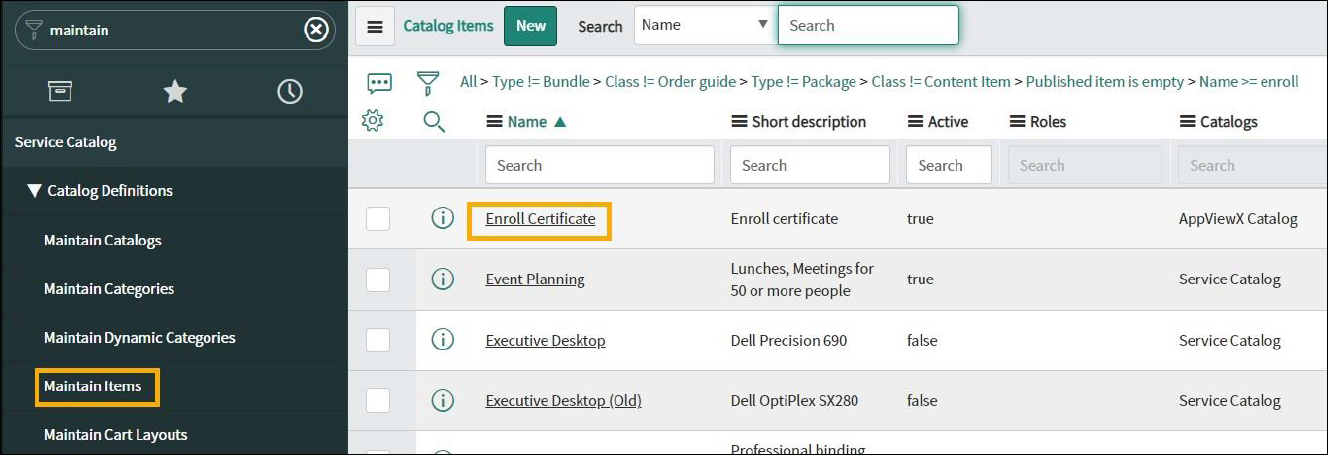
- On the ServiceNow instance, in the Filter Navigator, type Maintain Items.
-
Search for the required catalog for which you want to define RBAC. For example:
Enroll Certificate.
-
On the Enroll Certificate page, from the top right corner of the screen,
click Edit in Catalog Builder.
The Catalog Builder page for the selected workflow opens in a new tab.
- On the Catalog Builder page for the selected workflow, from the menu on the left, select Access.
-
On the Access page, to view and modify access for the workflow, under
Available for, click
 .
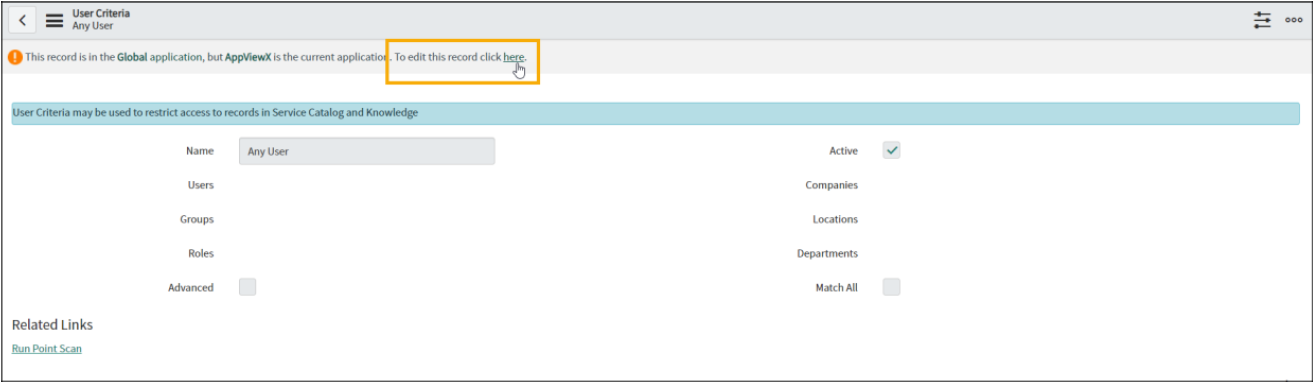
.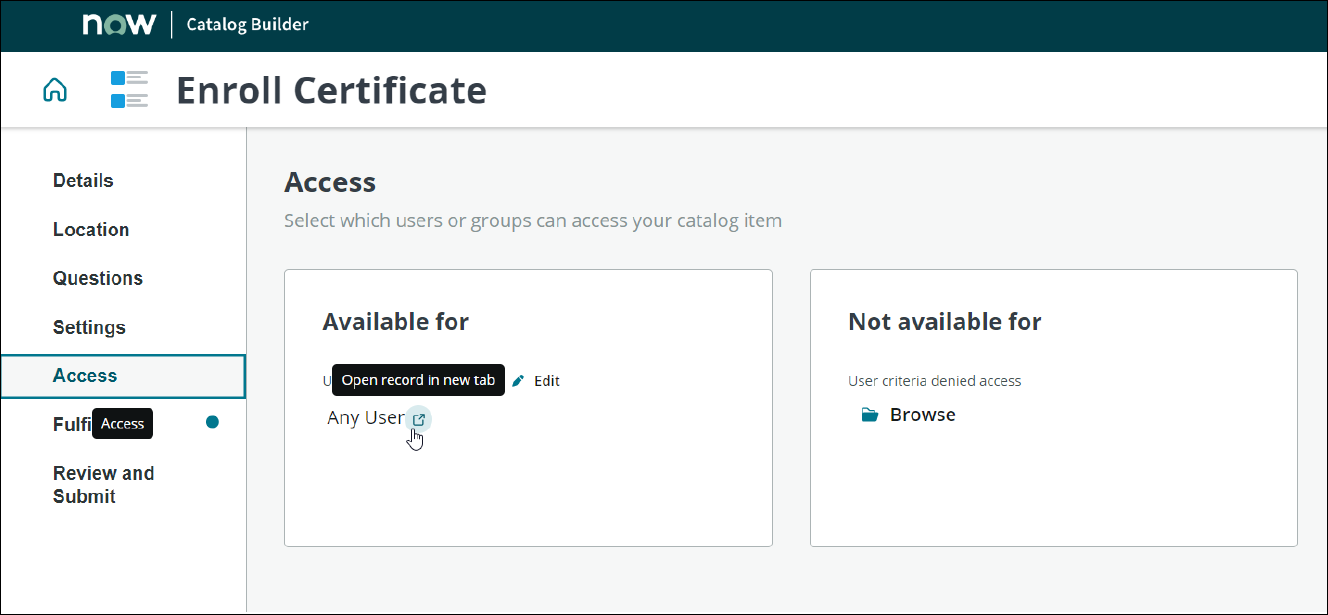 The User Criteria page opens in a new tab displaying the users that have access to this workflow.
 -
To modify access, from the top of the screen, click
here.
-
To modify the access for users, user groups, roles and so on click
 next to the respective field.
- Once all permissions have been modified, click Update.
