
Uninstalling the AppViewX Plugin
To uninstall the plugin:
- On your ServiceNow instance, to search for the applications installed, in the filter navigator type My Company.
-
From the search results displayed in the navigation pane on the left, under
System Applications, select My Company Applications.
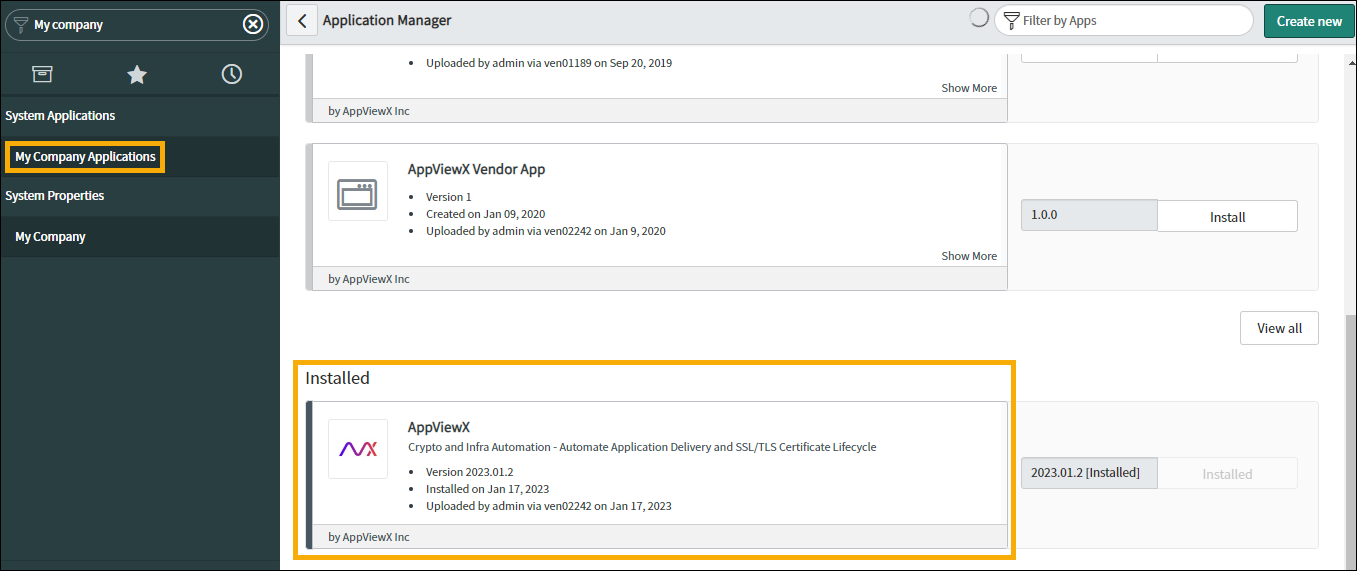
- On the Application Manager page, select the AppViewX application currently installed.
- On the application page, scroll down and from the options under Related Links, click Uninstall.
-
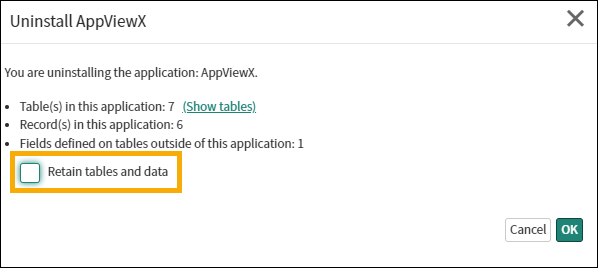
In the Uninstall AppViewX pop-up window that is displayed, deselect the
Retain tables and data checkbox and click OK.
-
In the dialog box that is displayed, type uninstall in the text box and
click OK.
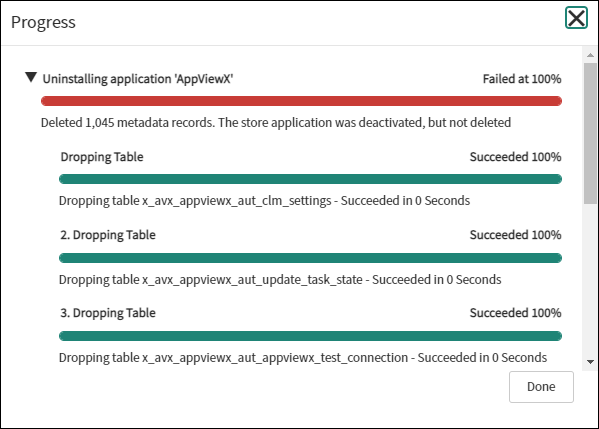
The Progress window displays the different stages of the uninstall process and their status.
-
If the Progress window displays any error messages, search for the
application in your instance.
- On the Application page, scroll down and click Remove tables and data.
- In the Remove tables and data window, click OK.
-
In the dialog box that is displayed, type uninstall in the text box and
click OK.
The AppViewX plugin will be uninstalled.
