
Configuring Sync Failure Notification
You can configure the Failure Notification for Inventory Sync to trigger.
- On the ServiceNow instance, in theFilter navigator, search for the Inventory Failure Notification.
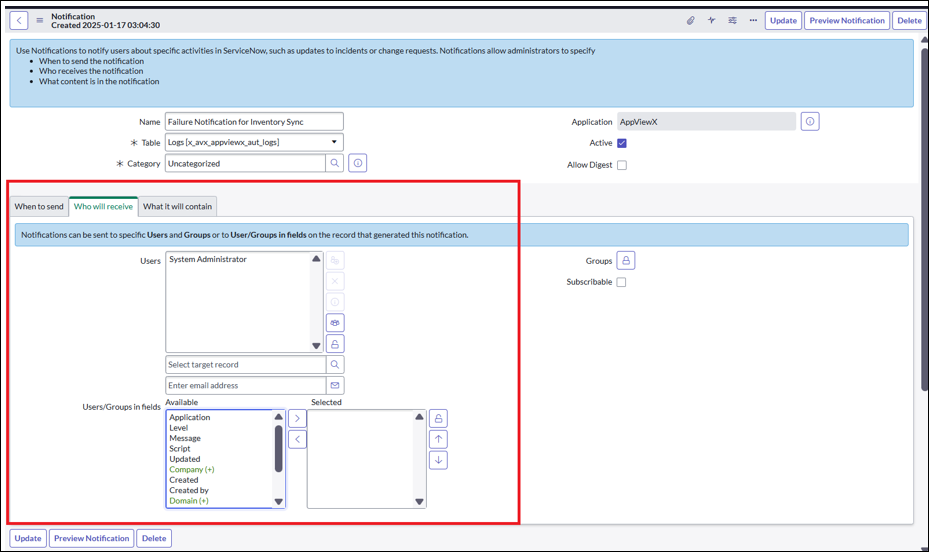
- On the Inventory Failure Notification click the “Who will receive” tab.
-
Select the User or User group names in the tab to receive the failure email
notification.
- Onthe AppViewX Logs Purging page, from the Runfield, select the frequency of the inventory sync from the options available in the dropdown. For example: Daily.
- In the Time Zone field, select the time zone from the options available in the dropdown.
-
Selectthe Timeat which you want the inventory sync to
take place and click Update.
The inventory sync will be triggered daily at the scheduled time.
