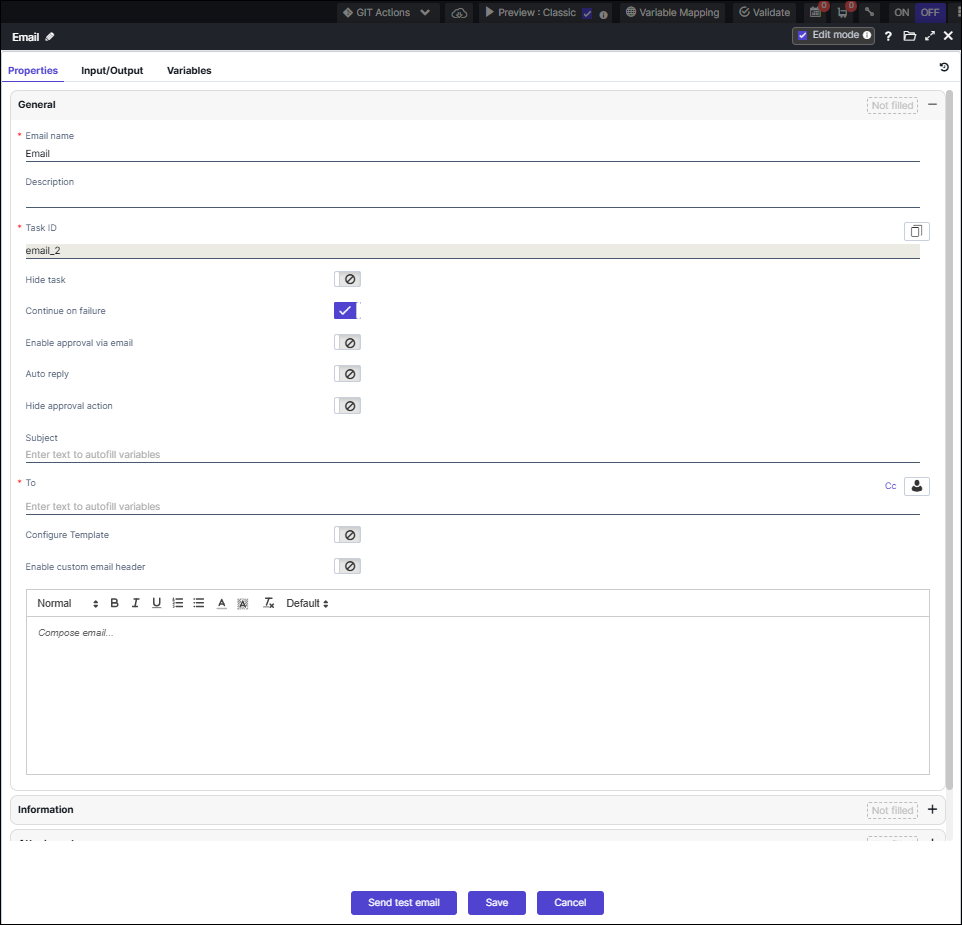
Email 
Email task allows you to configure static or dynamic email notifications as part of the
workflow automation process. You can send email attachments in different formats. This
task allows you to configure email approvals to automatically trigger the workflow process.
- Provision to select user(s), user role(s), and user group
- Provision to send test email to ensure that the defined content is relevant
- Provision to reuse email tasks from one workflow into another
- Provision to dynamically render emails by referencing data/value (using variables) from any stage of the workflow into the email task
- Variables can be referenced into the following fields – Subject, To, CC, and Content.
- Provision to trigger workflow based on email approvals.
- A new boolean toggle
continueOnFailurehas been introduced in the Email Task. - When a new Email Task is created,
continueOnFailureis enabled by default to maintain existing behavior. If any recipient email address fails basic validation (checked against a standard email regex pattern), the email will not be sent to any of the recipients. In such cases, the Email Task will still be marked as Completed. - If the user disables
continueOnFailure, and any recipient email address fails validation, the email will not be sent to any recipients, and the Email Task will be marked as Failed.Note: If even a single recipient email address is invalid, the email will not be delivered to any of the recipients in the task. - Provision to use customized email template within your workflow to send
emails.