
Configuring Dynamic Email Attachments 
- Provision to refer variable(s) from any stage and dynamically generate file attachments.
- Provision to choose the file type for dynamically generating file attachments (Supported file formats are - pdf, csv, txt).
- Provision to upload/add one or more file attachments from the system with a limit up to 25 MB.
- Provision to delete attachment(s) from the email task.
To send an attachment:
- Design a workflow.
- From the Notification section, drag and drop an Email task.
-
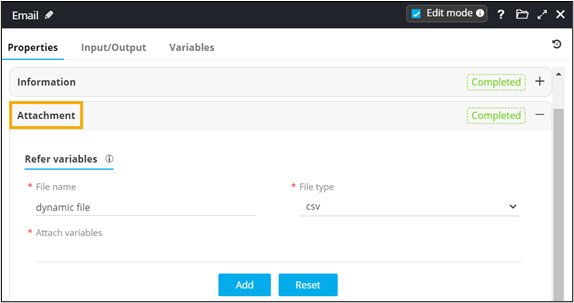
In the Email task window, under
Properties, in the Attachment
section, enter or select the field information.
-
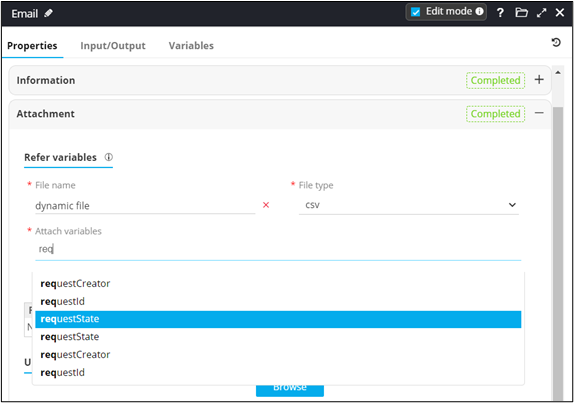
Attach variables to add a dynamic email attachment.
-
Click Add.
You can use this task within your workflow to send email attachments dynamically.
