
Insights Summary
- Quantum Trust Hub teaser
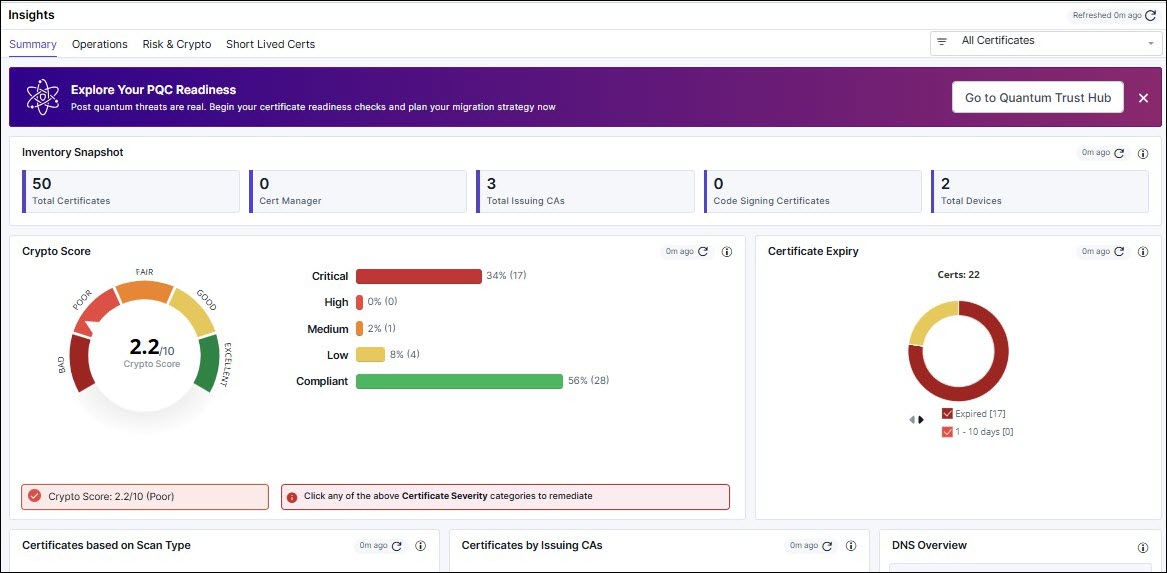
- Inventory Snapshot
- Crypto Score
- Certificate Expiry
- Certificates based on Scan Type
- Certificates by Issuing CAs
- DNS Overview
The Quantum Trust Hub Teaser
Starting v2025.0.0.0, AppViewX introduces the Quantum Trust Hub, a unified console for tracking and managing your cryptographic environment’s PQC-readiness. The Quantum Trust Hub is organized into modules that individually and together help you plan and prioritize your quantum security preparedness.
- Code Scan
- Certificate Scan
- Configuration Scan
To go to the Quantum Trust Hub, from the teaser, click Go to Quantum Trust Hub.
- Certificate PQC score
- Certificate count cards
- Quantum-Readiness Posture Report for certificates
If you have upgraded your product license to include the Quantum Trust Hub, you will be redirected to the Quantum Trust Hub in AppViewX, and view its dashboard, inventory, and policy modules.
For the complete Quantum Trust Hub documentation, click here.
For the complete PQC documentation, click here.
Inventory Snapshot

- Total Certificates - Displays the count of certificates such as Server, Client, and Code signing certificates.
- Cert manager - Displays the Up scaling tab.
- Total Issuing CAs - Total Issuing CAs report displays all the CA vendors that are currently managed or monitored.
- Code Signing Certificates - It displays the count of code signing certificates.
- Total Devices - The count of devices that are managed within AppViewX.
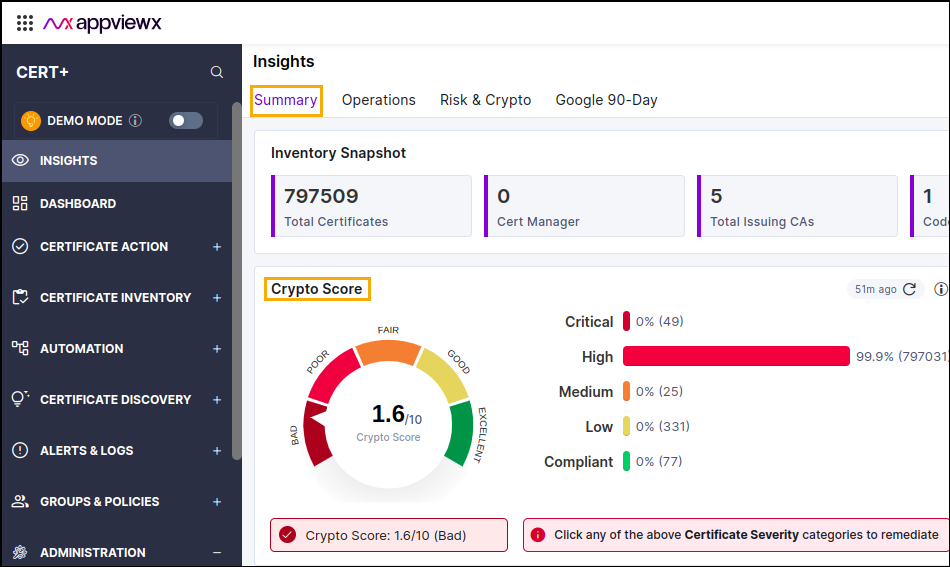
Crypto Score
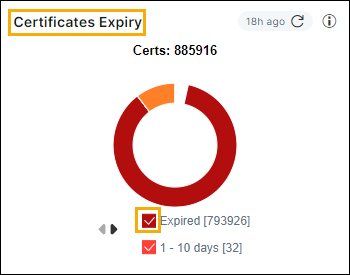
Certificate Expiry
- Select the check-box to view the specific portion, excluding unselected items.
- Click the pie chart to redirect to intermediate page.
- Click the Remediate button to redirect to the Server/Client/Code signing certificate inventory.
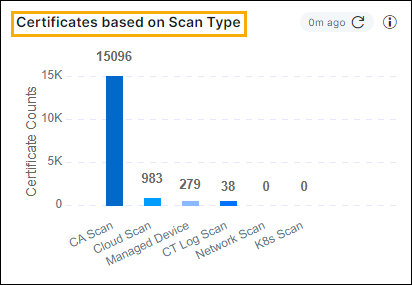
Certificates based on Scan Type
Certificates by issuing CAs
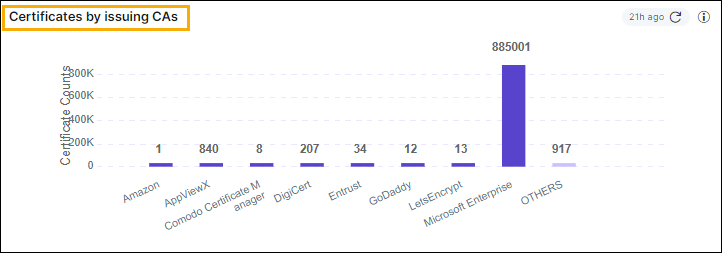
This report displays the count of issuing CAs. The X-axis represents the names of the vendors and Y-axis represents the number certificates per vendor.
DNS Overview
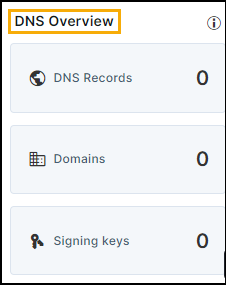
- Domains: These are the main web addresses the organization owns. For example, appviewx.com.
- Sub-domains: These are subdivisions of the primary domain used for specific functions. For example, support.appviewx.com.
- DNS Records: DNS records are crucial components that help route internet traffic to the correct server.
- Signing Keys: A layer of security to DNS by enabling the verification of DNS responses. This helps protect against attacks like DNS spoofing.
Threshold Limits
- For less than 100,000 certificates, live data will be displayed whenever the user navigates to the Insights page.
- For more than 100,000 certificates, a pre-calculated report will be shown with the last generated time indicated at the widget level.
- Users can click the widget level refresh to view the live data.
