
Viewing In-app Certificate Notifications
To view the Notification Center for CLM notifications:
-
Go to
 (Menu) > CERT+.
The CERT+ landing page, which is the Insights dashboard, is displayed.
(Menu) > CERT+.
The CERT+ landing page, which is the Insights dashboard, is displayed. -
From the top right corner of the landing page, click
 .
. The Notification Center icon is accompanied by a badge counter that displays the number of unread notifications. The counter value increases every time a new notification is listed in the notification center and decreases as soon as a notification is read.The Notifications cards are displayed.As can be seen in the above image, each notification includes the following details: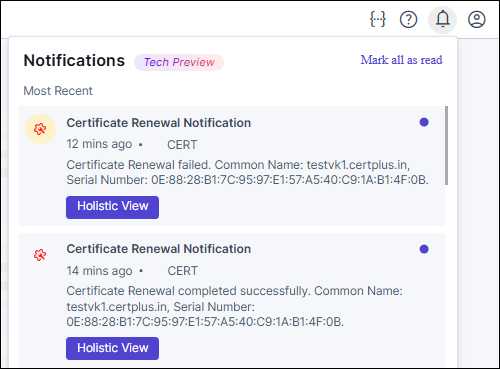
- Notification title (for example, Certificate Renewal Notification)
- Timestamp in the relative format (for example, 12 mins ago)
- Product line (for example, CERT)
- CLM action type (for example, enrollment, renewal, reissue, regeneration, re-enrollment)
- CLM action status (completed successfully/failed)
- Key identifiers for the certificate (common name and serial number)
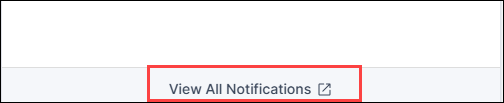
To view all notifications, across all product lines, click View all notififcations from the bottom of the notifications card.
- To view the certificate in the holistic view, click Holistic View.
