
Modifying page layout - Properties
-
To enable Branding, in the Layout window, under Properties, select the
Enable Branding checkbox.
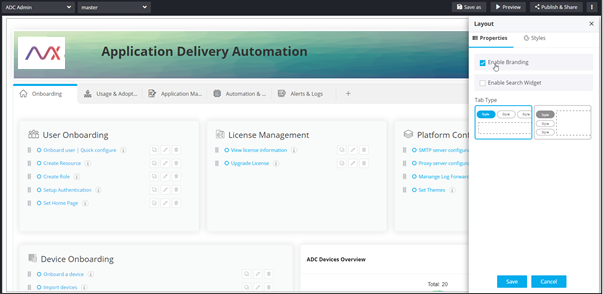
-
Click Save.
Branding component is added to the build area.
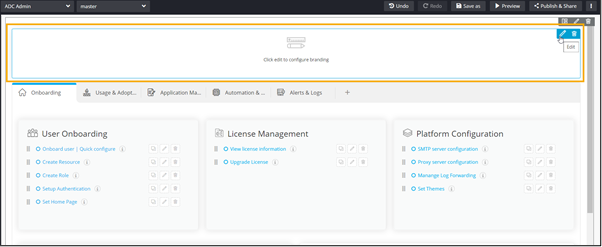
- Configure the Branding component.
- To enable the search widget, in the Layout window, under Properties, select the Enable Search Widget checkbox.
-
Click Save.
The Search widget is added to the page.
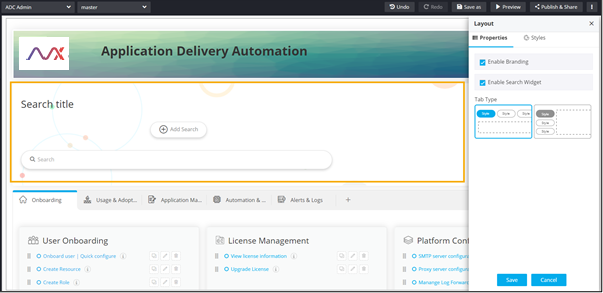
- Configure the Search widget.
- To select the tab orientation, under Tab Type, select the required option.
