
Vendor Integration (SaaS deployment)
To access the integration page:
- Go to the Integration page in AppViewX.
- On the Integration page, click on ServiceNow.
-
On the Vendor Configuration page, under the Credentials section,
enter or select the field information as shown in image.
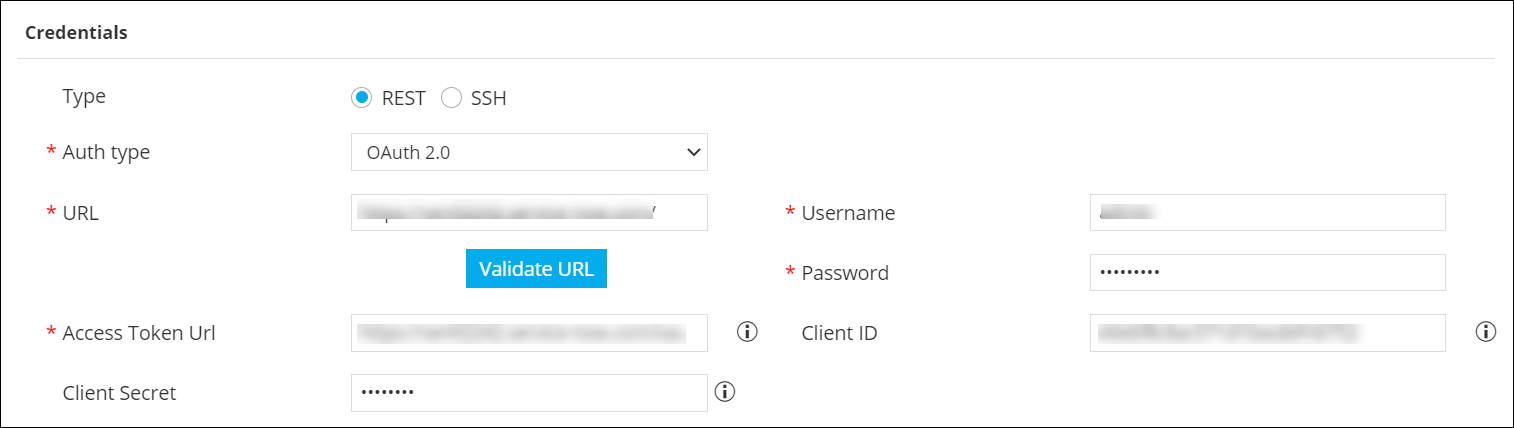 The following table describes the field information here:
Table 1. Credentials - Field and Description Table Field Description Type Select the type of credentials to be configured as: - REST (default)
- SSH
Auth type Select oAuth 2.0 as the mode of authentication. *URL Enter the vendor URL (ServiceNow instance) that will be used for communication with ApViewX. Validate URL Click this button to validate the URL entered in the previous field. *Username Enter the username. *Password Enter the password. *Access Token URL Enter the Access Token URL. For example: https://<URL>/oauth_token.do
Client ID Enter the Client ID generated in the Application Registry. Client Secret Enter the Client Secret generated in the Application Registry *: Mandatory fields - Click Save.
