
Generating Client ID and Client Secret on ServiceNow
Follow these steps for oAuth configuration on ServiceNow:
- On the ServiceNow instance, in the filter navigator, type oAuth.
-
From the results displayed in the left navigation pane, select Application
Registry.
The Application Registries page is displayed, with the oAuth client names listed.
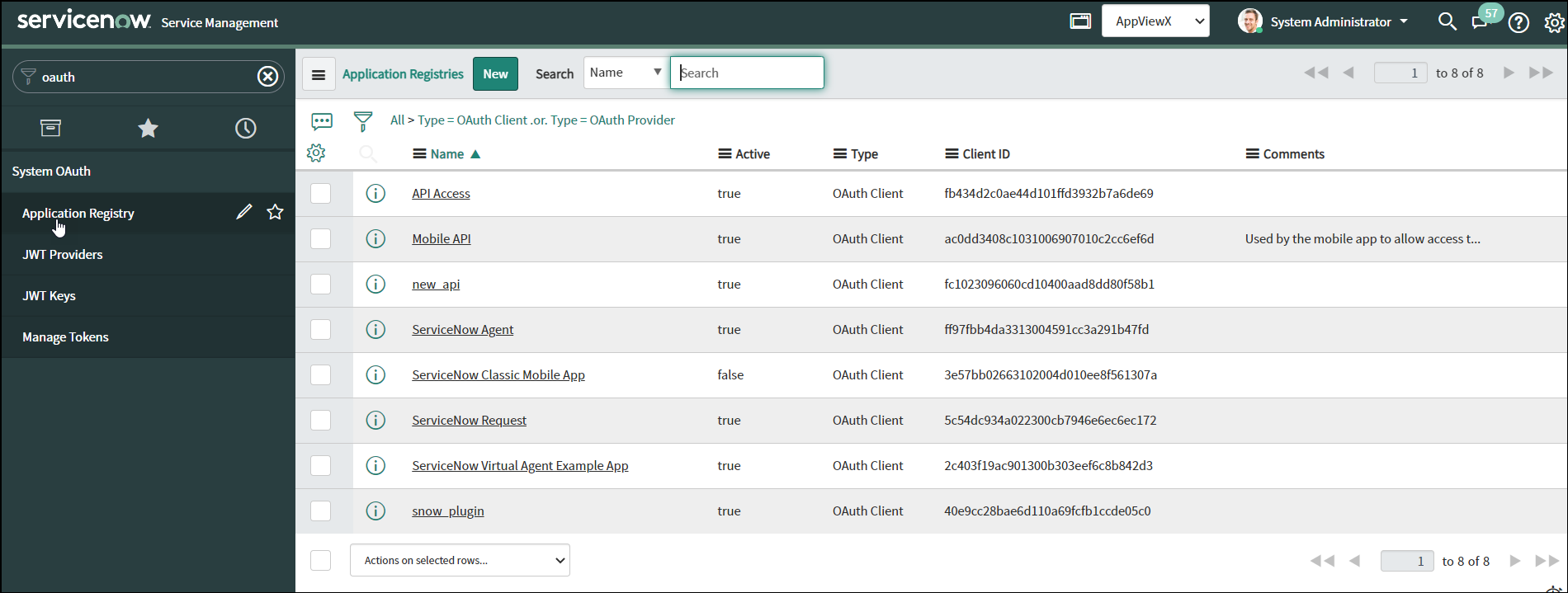
- To generate a new Client ID and Client Secret, click New.
-
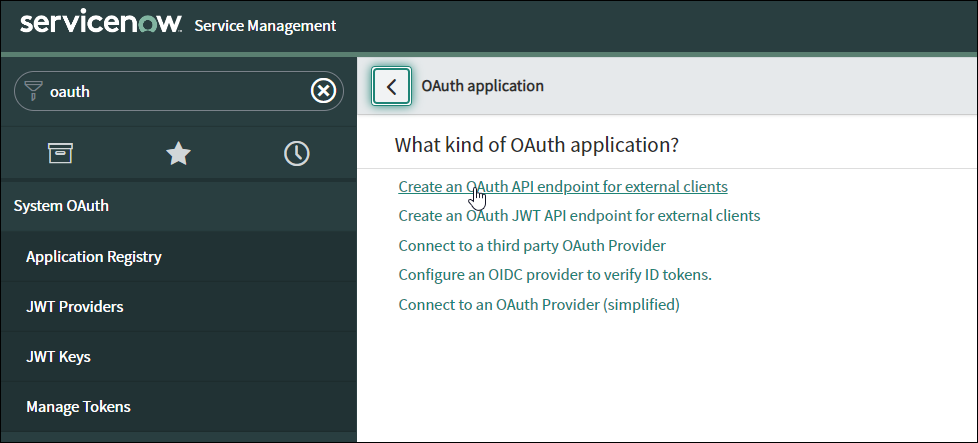
Select the purpose for which you want to generate the oAuth token. For example:
Create an oAuth API endpoint for external clients.
-
On the Application Registries New Record page, enter a Name for
the new oAuth application.
Note: The Client ID is automatically generated here and will be associated with the client Name that you enter in the Name field. The Client Secret will be generated automatically once the record is submitted.
-
Click Submit.
The new client is added to the Application Registries page.
-
To get the Client ID and Client Secret for this client, on the Application
Registries page, click on the client Name.
The Client ID and Client Secret are displayed.
-
To make the Client Secret visible, click
 .
.
