
Tenant Environment Login Methods
Logging in as Local Users
Logging in as SSO Users
To login as SSO users, MSPs must first configure SSO, configure IDP with the service URL and then login. The steps are as follows:
Configure SSO
Configure the SSO feature within AppViewX’s Platform module. Refer to the Single Sign On Configuration in the Platform guides.
Fetching the IDP Service URL
The Fetch IDP Service URL option is used to retrieve the Identity Provider (IDP) service URL. This URL is essential for integrating the tenant's authentication system with an external identity provider, enabling Single Sign-On (SSO).
To obtain the IDP service URL:
- From the Tenant Management inventory, for the required tenant, from
the Action column, click
 (Fetch IDP
Service URL).Note: You can also hover your mouse over the selected tenant to display the icon.
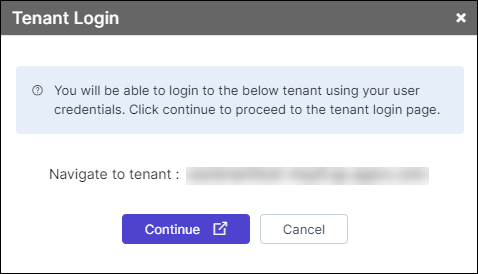
The Fetch IDP Service URL pop-up is displayed as shown below.
(Fetch IDP
Service URL).Note: You can also hover your mouse over the selected tenant to display the icon.
The Fetch IDP Service URL pop-up is displayed as shown below.
- Click the ‘Copy’ icon next to the Service URL field and save it onto a notepad.
- Add the copied URL in the IDP to utilize the SSO login features.
- MSPs must fetch the IDP service URLs for each tenant separately and configure it in the IDP to use the SSO feature.
- SSO with Local authorization is not supported for tenant login.
Login to the Tenant
MSP users logged in with their SSO credentials can access their tenants, either through the dashboard or the tenant inventory without having to enter the credentials.
