Adding Templates in CA
To ensure proper functionality with WAEP, the default templates must be duplicated. Follow these steps to duplicate the templates on the CEP/CES machine:
- Open the Run dialog and enter certsrv.msc to launch the Certificate Authority interface.
- Select the MSCA in use, then click on Templates.
-
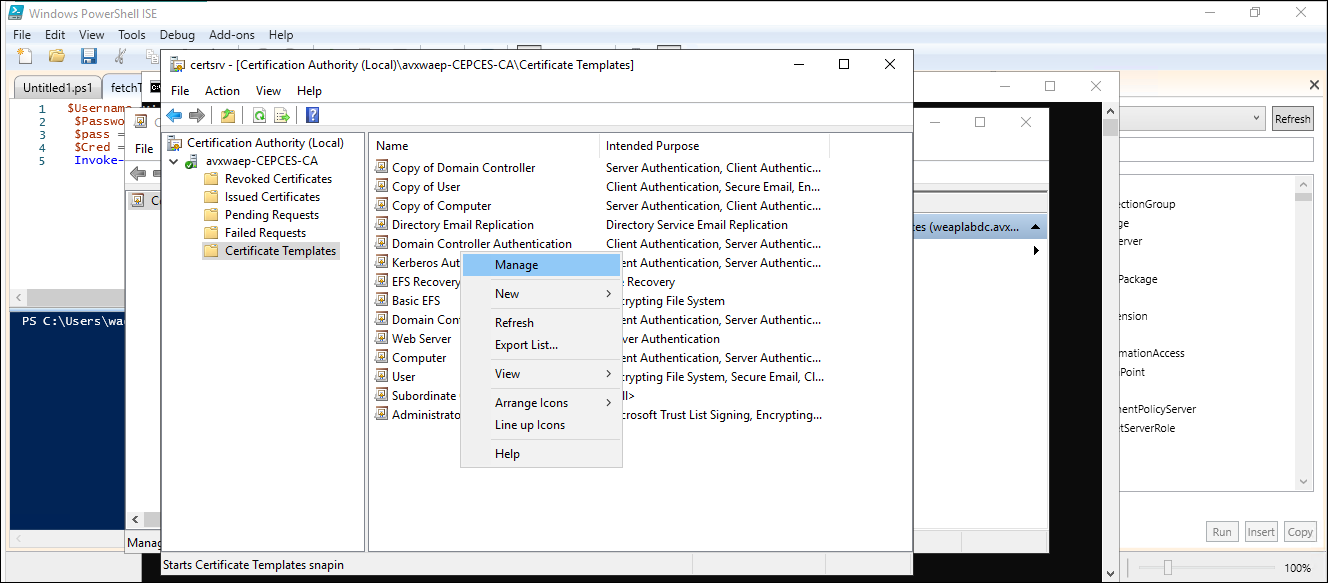
On the right pane, right-click and select Manage.
-
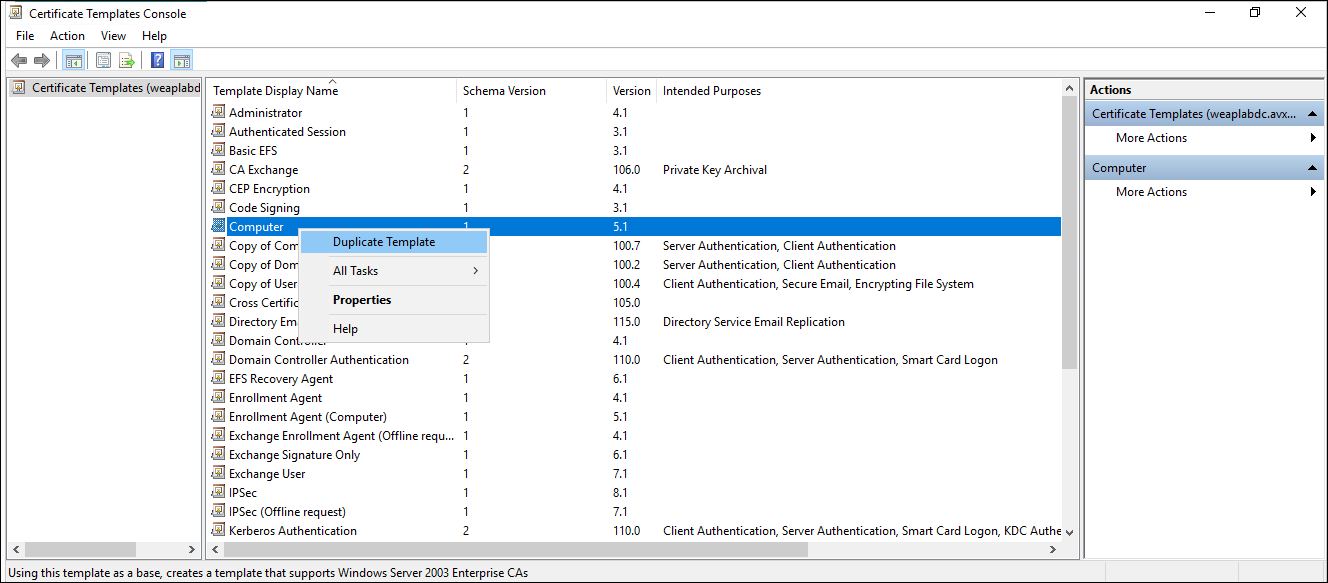
Locate the Computer template, right-click and choose Duplicate
Template. Click OK to confirm.
-
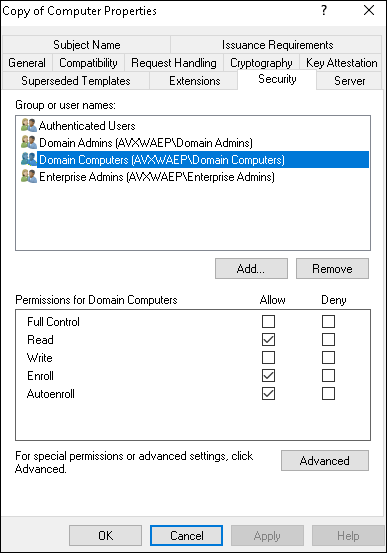
Ensure that the following permission for the domain computer is provided for
the computer template:
-
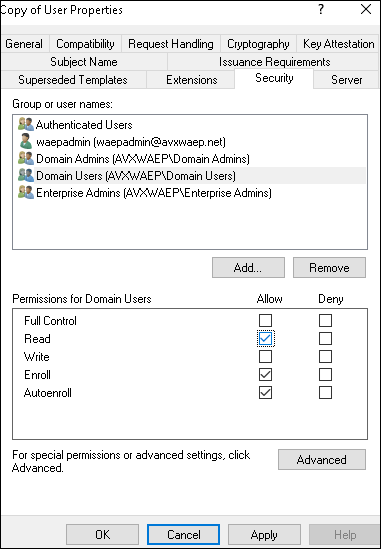
Repeat the process to duplicate the User template as well with
permission for the domain users as shown: