
Setting up the HSM to Facilitate using the AppViewX MEK
To facilitate the encryption of the AppViewX Master Key with the User's Master Key,
AppViewX executes the following steps: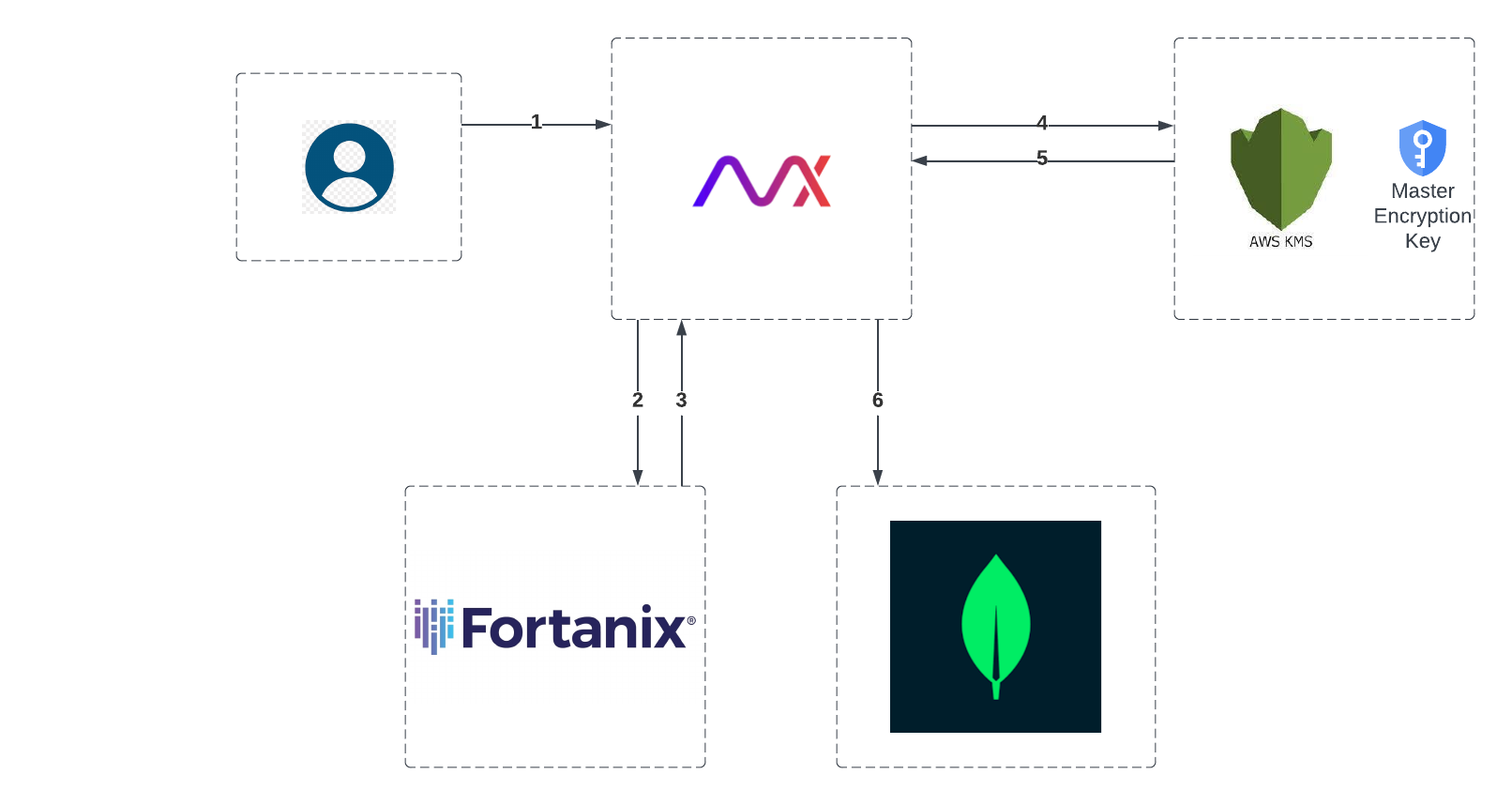
- Set up an HSM. Note: For instructions on setting up the HSM, click here.
- After successful configuration of the HSM in AppViewX, conduct a health check on the HSM through the Cloud Connector to verify the configuration's validity.
- If the configuration is valid, add the HSM to AppViewX.
AppViewX receives success response from the HSM.
- Encrypt the secure material required for communication with HSM (API Key,
partition password, and so on.) using the KMS-MEK instead of the standard
AppViewX MEK.
This deviation is to allow for the encryption of the AppViewX MEK using the User's Master Key stored in the HSM.
- Retrieve the Encrypted HSM Password/API Key from AWS KMS.
- Persist the HSM Settings in the tenant’s database.
