
Store
The Reports :: Store page shows a list of ready-to-use reports made
available to users.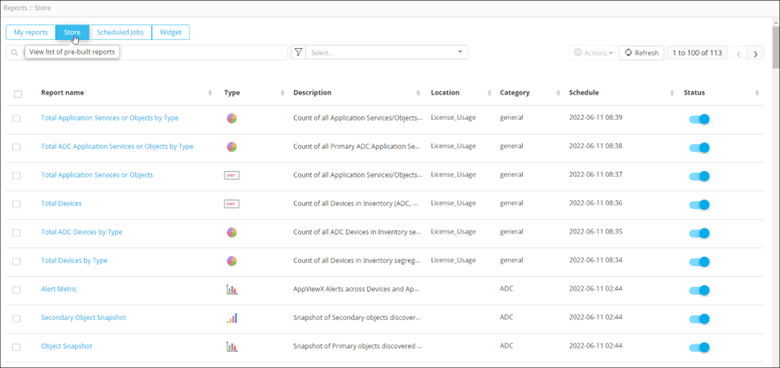
The following table describes the options available under the Store page:
| Options | Description |
|---|---|
| Search bar | Searches for the given keyword(s) in the field and produces results featuring the searched keyword(s). |
 |
Allows you to filter reports according to different categories. |
| Actions | Allows you to perform actions (pin, share, clone) on the
reports. Note:
|
| Refresh | Refreshes the page. |
| Report name | Displays the names of the reports in alphabetical order (A to Z and Z to A). |
| Type | Displays reports according to the type - pie, donut, bar, stacked bar, grid, line metric. |
| Description | Displays a brief description of the report. |
| Location | Displays the location of the report on the dashboard. |
| Category | Displays the category of the report -
|
| Schedule | Displays the date and time of a scheduled report. |
| Status | Displays whether a report has been enabled or is disabled. |
