
Configuring CyberArk
- On the Identity Administration portal, go to the Provisioning page of your
deployed application.
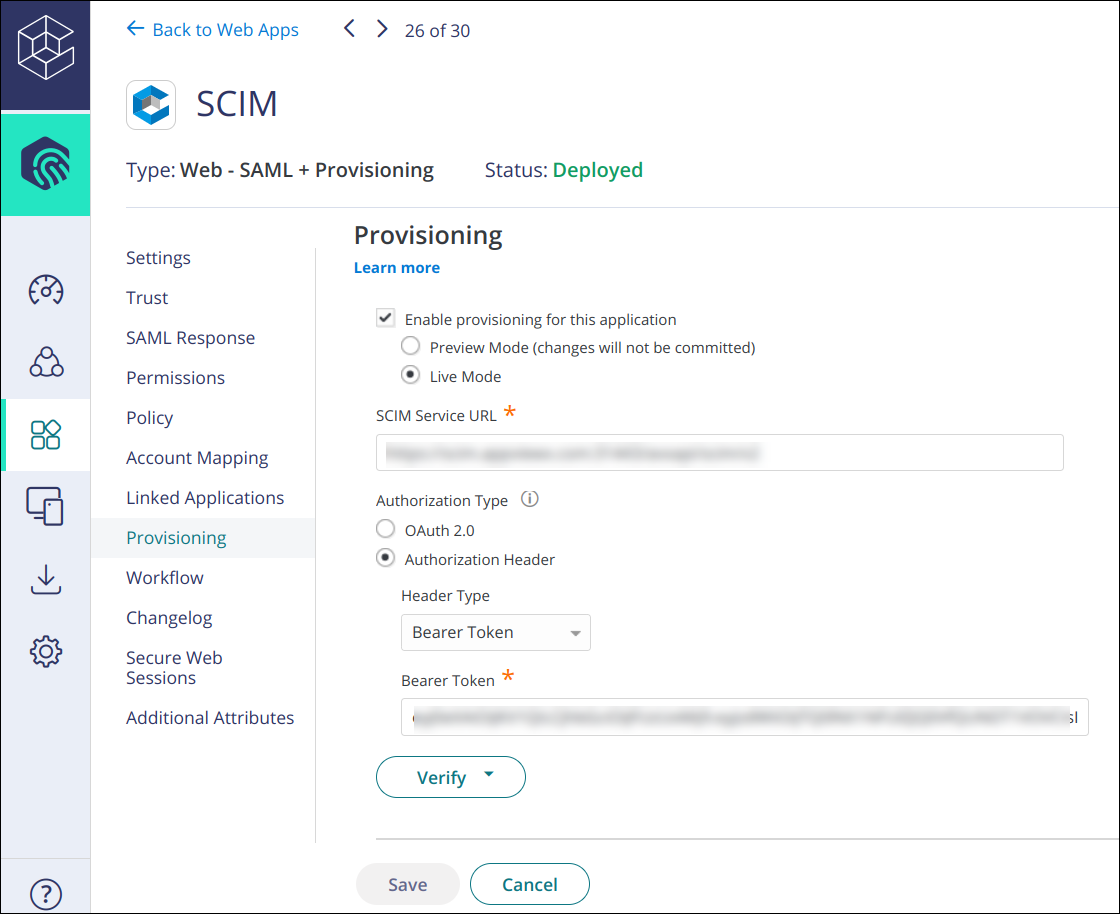
- Select Enable provisioning for this application.
- Select Live Mode.
- Enter the service provider's SCIM URL for the SCIM Service URL.
- Select Authorization Type as Authorization Header.
- Select Header Type as Bearer Token.
- Enter the Bearer Token to the Bearer Token field that you generated earlier.
- Click Verify to have CyberArk Identity verify the connection and
save the provisioning details.
For more details on steps for Configuring CyberArk.
