
Managing Fortanix HSM without Internet Connectivity
When the user lacks direct internet connectivity from the AppViewX HSM node in an on-prem environment but still needs to manage the HSM device, a proxy URL must be configured in the HSM configuration file. This configuration should be pre-shipped.
To enable proxy-based communication, the following lines are be added and
commented in the
hsm configuration file available in the
properties directory:- For
On-Prem
#export FORTANIX_PROXY=https://<proxy_url>:<port>/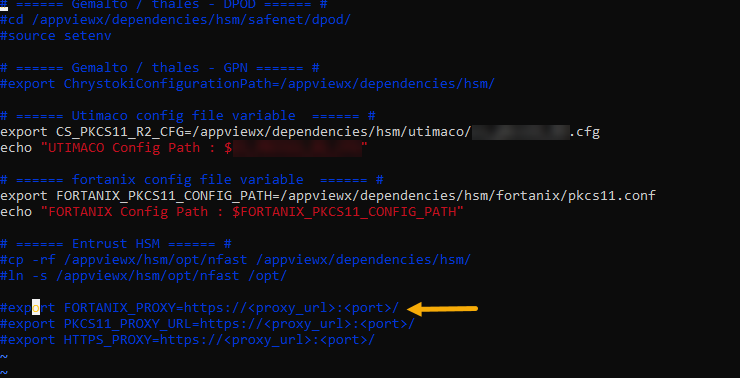
To edit the HSM configuration file,
-
Go to the properties folder in the installation directory
cd <appviewx_installation_path>/appviewx_dependencies/properties -
To edit the configuration file, execute the command below.
vi hsm -
To enable the proxy URL for managing HSM when there is no internet
connectivity, uncomment the below parameters in the config file and add the
information as follows:
- For
On-Prem
where,export FORTANIX_PROXY="http://username:%XY%99XX3x%99%99%99XX%[email protected]:1234"- username - proxy's username.
- %XY%99XX9x%99%99%99XX%9X9x-x - URL encoded password.
- 192.XXX.XXX.XXX - proxy IP.
- 1234 - port number.
- For
On-Prem
- Save the file changes.
-
Restart the platform HSM pod (avx-platform-hsm) using the command below:
kubectl delete pods <podname> -n <datacenter> --force
