
MDM Deployment of Code Guardian
Prerequisites
| Requirement | Details |
|---|---|
| Agent Identity Security Platform access | Administrator access to generate a bootstrap token. |
| MDM administrator account | Permissions to create and assign Win32 applications in your MDM platform. |
| Deployment packages |
|
| Network connectivity | Outbound HTTPS access to https://ais.appvx.com from each
managed endpoint. |
| Bootstrap Token | An active bootstrap token generated from the Agent Identity Security Platform. |
Generate a Bootstrap Token
-
Generate a Bootstrap Token in Agent Identity Security:
The bootstrap token initializes Code Guardian during managed deployment. Each enrolled device automatically receives its own runtime API key once the bootstrap token is used.
- In Agent Identity Security, go to .
-
Select Generate API Key, then choose Bootstrap
Tokens.
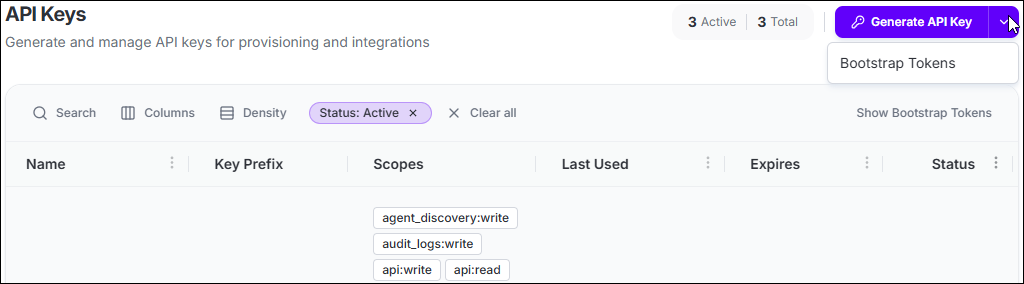
- Enter a descriptive name (e.g., Microsoft Intune Rollout).
- Set the maximum number of API keys the token can generate (minimum 50).
- Set token expiry in days (range: 90–365 days).
-
Select Generate Token and copy the token immediately.
Important: Copy the bootstrap token before closing the dialog. Once dismissed, the value cannot be retrieved.
