Configuring Splunk HEC
You can perform most common configuration tasks on Splunk Web. Splunk Web runs by default
on port of the host on which it is installed.
- If you're running Splunk on your local machine, the URL to access Splunk Web is
http://localhost:. - If you're running Splunk on a remote machine, the URL to access Splunk Web is
http://<hostname>:, where<hostname>is the name of the machine Splunk is running on.
Administration menus can be found under Settings in the Splunk Web menu bar. Most tasks in the Splunk documentation set are described for Splunk Web.
Create an HTTP Event Collector token on Splunk Enterprise
To use Spunk HEC, you must configure at least one token.
- Log into Splunk with valid credentials.
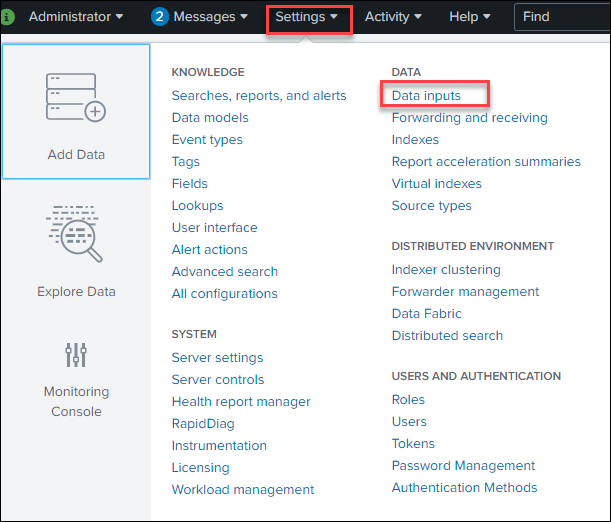
- Click Settings > Data inputs.
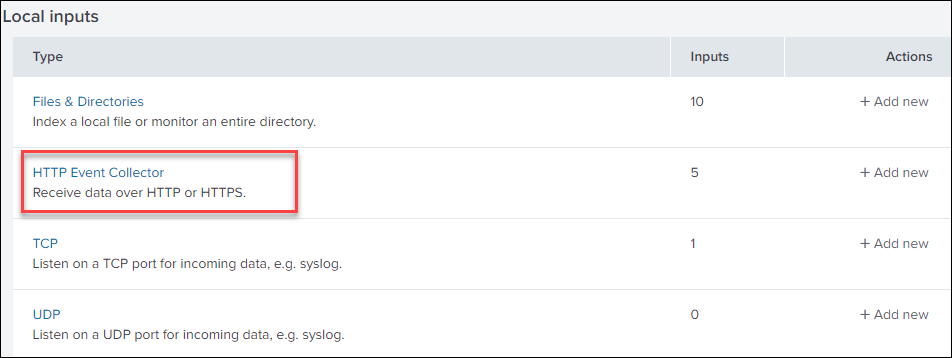
- Click HTTP Event Collector.
- Click New Token.
 The New Token Page is displayed.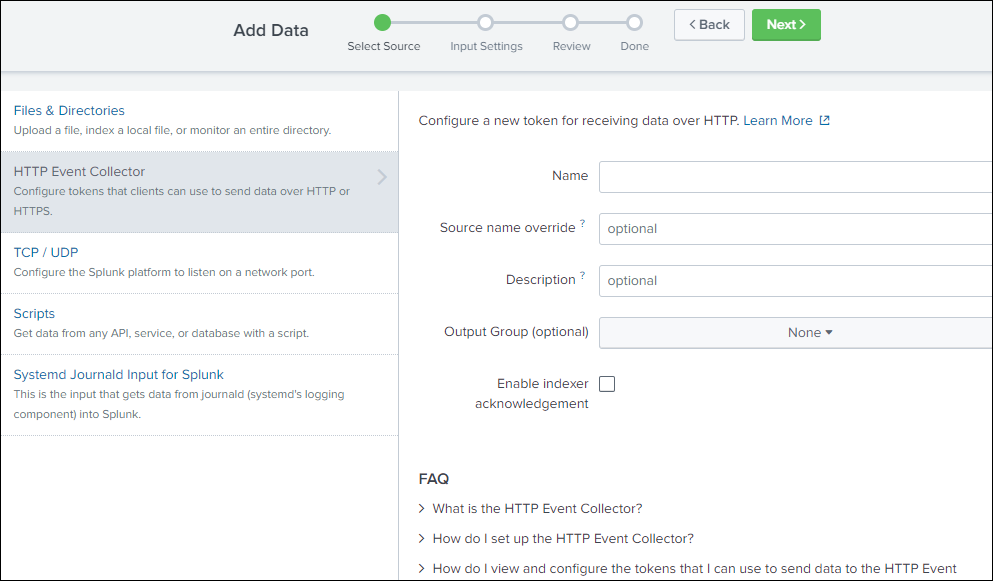
- In the Name field, enter a name for the token.
- (Optional) In the Source name override field, enter a source name for events that this input generates.
- (Optional) In the Description field, enter a description for the input.
- (Optional) In the Output Group field, select an existing forwarder output group.
- (Optional) If you want to enable indexer acknowledgment for this token, click the Enable indexer acknowledgment checkbox.
- Click Next.
- (Optional) Confirm the source type and the index for HEC events.
- Click Review.
- Confirm that all settings for the endpoint are what you want.
- If all settings are what you want, click Submit. Otherwise, click
< to make changes.
Token has been created successfully is displayed with token value.
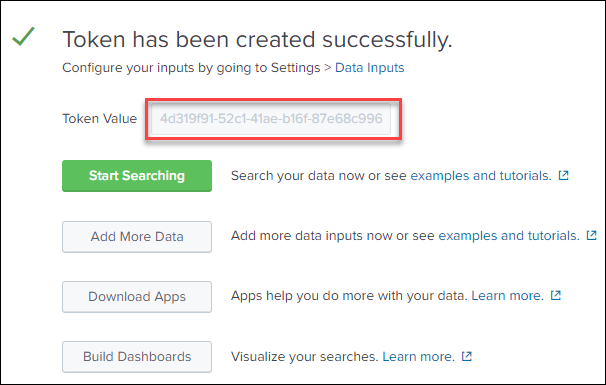
- (Optional) Copy the token value that Splunk Web displays and paste it into another document for reference later.
- The HTTPS Event controller token is created and displayed in the list.
- Click Global Settings and check all the parameters. Also note the HTTP Port Number.
- There is an additional validation of uploading the certificate required for
Custom CA Certificate as Validate Certificate type, so create the
certificate for validation from the HTTP Event Collector URL.
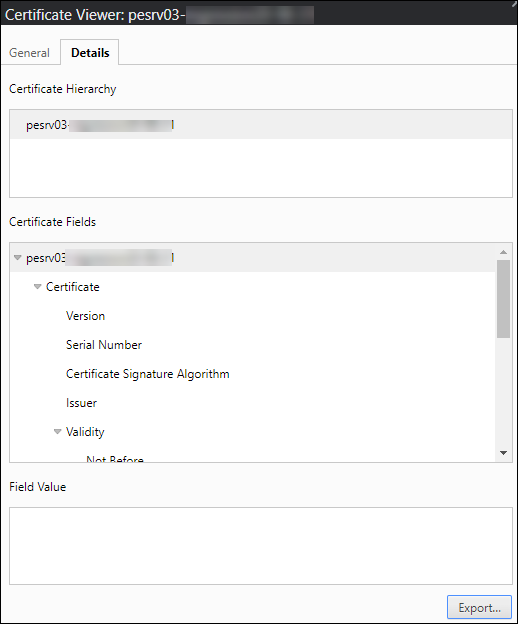 Note: Certificate has to be downloaded/Exported in the .pem format only for validation.
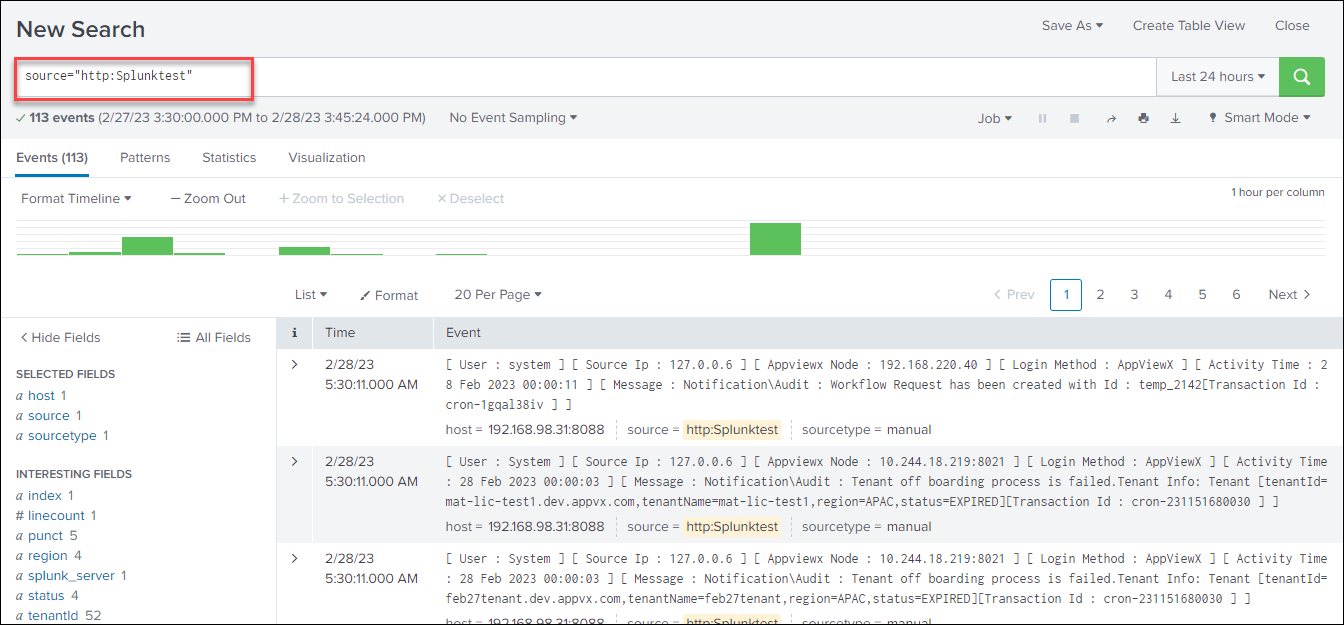
 - Log type and severity after creating a role and audit log can be found in Splunk
by using a text search like the one below.