
Configuring Forwarding Settings
| New Menu | Old Menu |
|---|---|
| In the Platform module, from the navigation pane on the
left, under OBSERVE & EXPLORE, select Log
Forwarding. The Settings :: Log Forwarding page is displayed with the Server inventory tab open by default. |
The Settings :: Log Forwarding page is displayed with the Server inventory tab open by default. |
| For more information on how to switch between menus, click here. | |
-
On the Settings :: Log Forwarding page, under the Forwarding
settings tab, enter the following details:
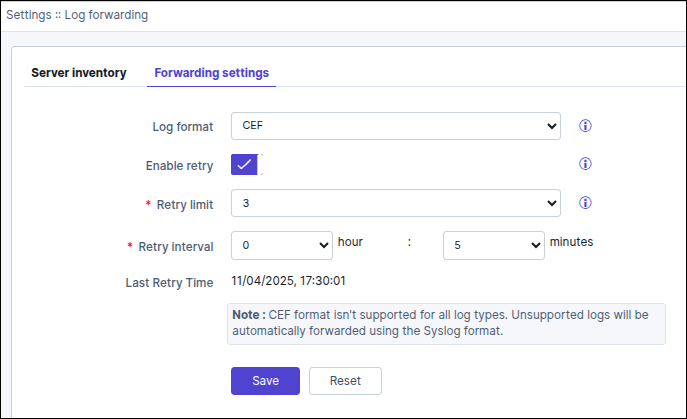
Table 1. Field descriptions for Forwarding settings Field Description Log format To select the format in which logs should be forwarded to the external server, from the drop-down menu, select one of the following options: - Syslog
- CEF
Note: CEF is the most recent industry standard for forwarding logs.When the CEF format is selected the following note is displayed "CEF format isn't supported for all log types. Unsupported logs will be automatically forwarded using the Syslog format."Enable retry If an attempt to forward logs fails because of server unavailability, AppViewX lets you set a retry interval the duration after which logs will be forwarded again. To enable this retry, turn on the Enable retry toggle.
*Retry limit Configure this value to provide maximum retry attempts for forwarding the logs when server(s) are down/unreachable. *Retry interval To set a retry interval, from the hour and minutes drop-down menus, select the required values. This field is displayed when the Enable retry toggle is turned on.
Last Retry Time Displays the date and time of the previous attempt of log forwarded. * : Mandatory fields - To set a retry interval, from the hour and minutes drop-down menus, select the required values.
- Click Save.
