
AVX::PUSH and AVX::JSONCONVERTER 
Usage:
AVX::PUSH ('device_name',source_json, destination_json,protocol, fieldId , port_number, recursive, seq_no=0, properties={'sleep':0})- Device_name: Name of the device from where the scp/sftp command to be executed.
- Source_json: AVX::JSONCONVERTER('ipAddress', 'username', 'password', 'location').
- Destination_json: AVX::JSONCONVERTER('ipAddress', 'username', 'password', 'location').
- Protocol: “scp” or “sftp”.
- fieldId: Field Id of the uploaded file in the form.
- Port_number: SCP port (Default is 22).
- Recursive: “True” for folders.
- Seq_no and other properties remains the same as AVX::CMD.
To use these commands:
- Design a workflow.
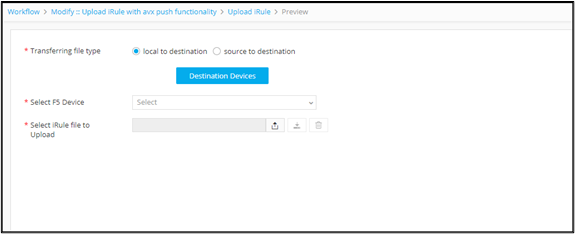
- To allow users to select the source of the destination device and upload file, drag and drop a Form task.
-
Configure the form fields as shown.
-
To get inputs from the form and push file(s) to a destination (AVX::PUSH
logic), drag and drop a Script task and
define the script as shown below.
#load sys config file <irulepath> verify merge import sys import os sys.path.insert(0,AVX::HELPER) sys.path.insert(0,AVX::DEPENDENCIES) import paramiko import appviewx import Decrypt_Python3 as Decrypt connection = appviewx.db_connection() db = connection.appviewx device_name = "<%device%>" deviceInfo = db.device transfer_type = '<%transfer_type%>' AVX::LOG(transfer_type) if transfer_type == "local to destination": try: #device_ip,username,password = get_device_details(device_name) irulefile = '<%uploadedfile%>' fileName = irulefile['fileName'] file_location = '<%destination_path%>' destination_json = AVX::JSONCONVERTER(device_name,'$$username$$', '$$password$$', file_location) AVX::PUSH('N/A','None', destination_json,'sftp', irulefile) AVX::LOG("iRule Successfully pushed to device") AVX::CMD(device_name+":@tmsh") AVX::CMD(device_name+":@load sys config file "+file_location+fileName+" merge") AVX::CMD(device_name+":@quit") except Exception as e: AVX::LOG(str(e)) else: try: #AVX::PUSH('device_name',source_json, destination_json,protocol, fieldId , port_number, recursive, seq_no=0, properties={'sleep':0}) source_path = '<%source_path%>' source_device = "<%source_device%>" source_json = AVX::JSONCONVERTER(source_device,'$$username$$', '$$password$$', source_path) file_location = '<%destination_path%>' file_name = source_path.split('/')[-1] destination_json = AVX::JSONCONVERTER(device_name,'$$username$$', '$$password$$', file_location) AVX::PUSH(source_device,source_json, destination_json,'scp') AVX::LOG("iRule Successfully pushed to device") AVX::CMD(device_name+":@tmsh") AVX::CMD(device_name+":@load sys config file "+file_location+source_path.split('/')[-1]+" merge") AVX::CMD(device_name+":@quit") except Exception as e: AVX::LOG(str(e)) config = {} config["Implementation"] = AVX::CONFIG AVX::OUTPUT(config) -
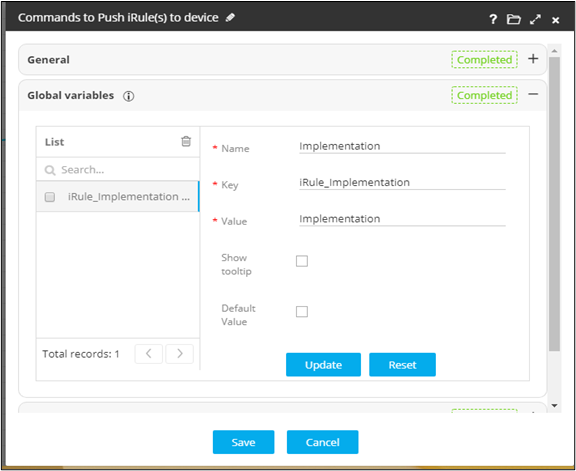
Define the configuration to be generated from the script as a global variable
value.
-
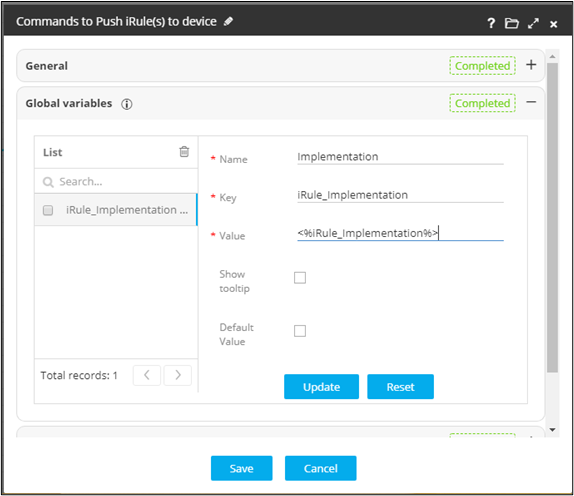
To display the configurations to be pushed to a device, drag and drop a Review task.
-
To push the configuration on the end device, drag and drop the Implementation task.
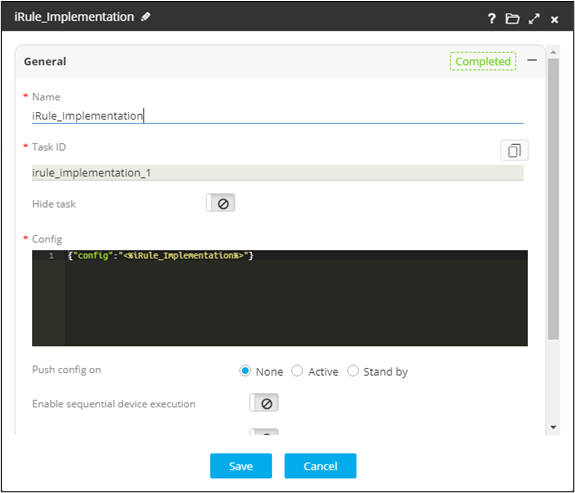
- Refer the global variable from the Script task.
-
Enable and trigger the workflow.
The workflow is executed with the user inputs requested at the first stage.
-
Select the destination device and upload the file.
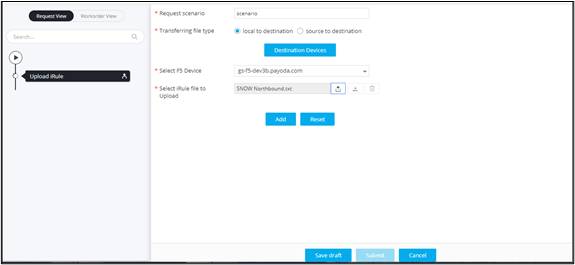
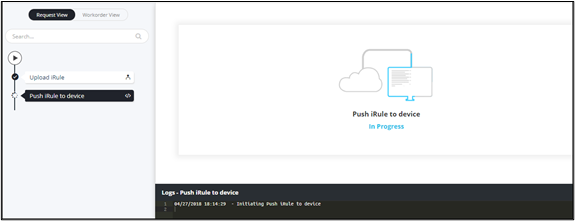
- Push iRule to device task is in progress.
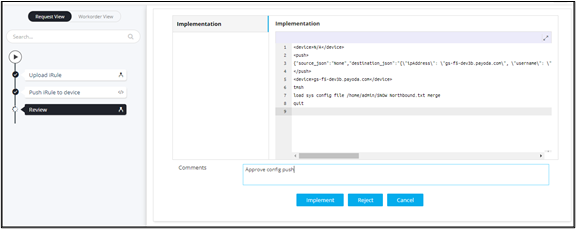
- Implementation stage.
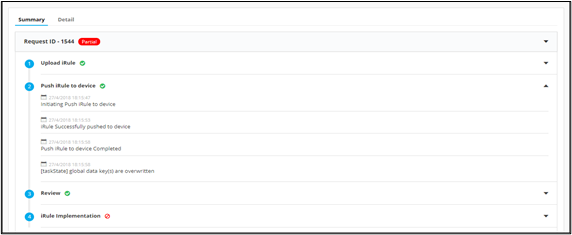
- Summary of workflow execution after file push.
- Push iRule to device task is in progress.
