
AVX::LOG 
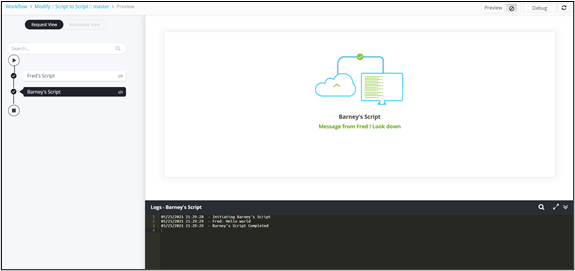
This command allows you to record and print custom messages in the logs (in the request
stage view). AVX::LOG takes a string value (i.e. the message to be logged) as an
argument and prints it in the log. AVX::OUTPUT collates all the logs and finally prints
them.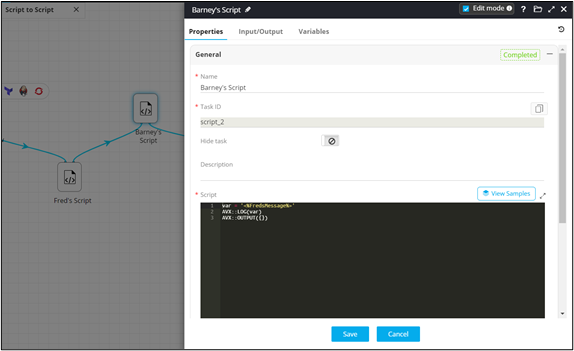
Usage:
AVX::LOG(“Print a simple log message”)
AVX::OUTPUT({})
message_from_fred = '<%FredsMessage%>'
AVX::LOG("Fred's Message is "+message_from_fred)
AVX::OUTPUT({})
Example 2:
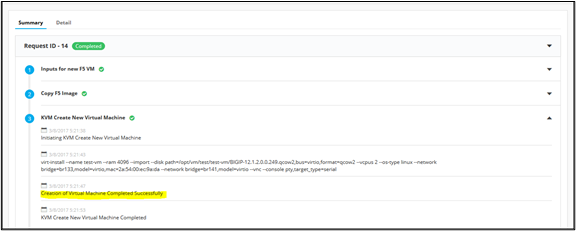
AVX::LOG("Creation of Virtual Machine Completed Successfully")
cpu_mem = int(stdout.read())
  outjson={"cpu_mem":cpu_mem , "ci" : "F5_192_41_101","description":"CPU utilization exceeded 40 % | Current cpu utilization is {} %".format(cpu_mem) }
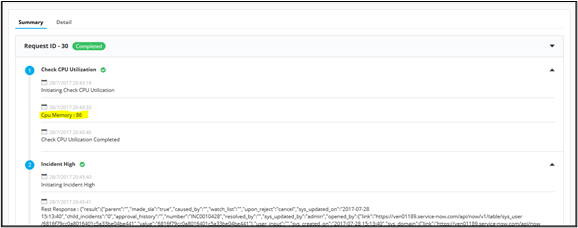
AVX::LOG("Cpu Memory : "+str(cpu_mem))
