
Step 3: Review and create the policy
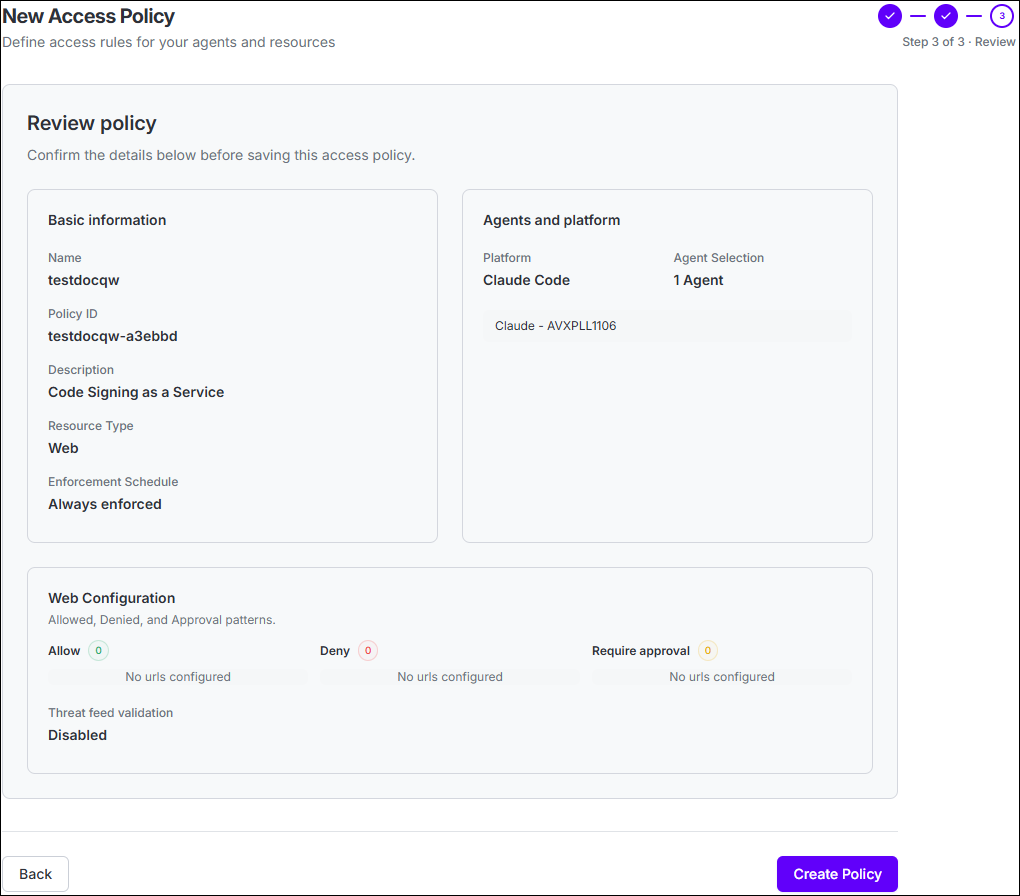
- Policy name and generated Policy ID
- Resource Type
- Enforcement Schedule, where applicable
- Selected platform and agents, or global scope when neither is selected
- Resource-specific Allow, Deny, and Require Approval configuration
- Threat Feed Validation (File or Package only), when enabled
- Data Classification settings (File only), when enabled
- HITL App, when Require Approval is configured
Note: The policy is now created and active. Agent Identity Security will
evaluate it against matching agent activity according to the enforcement schedule defined in
Policy Details.
